AI-based digital office · offices, factories, clinics, roads, mining · 5 languages

Everything in one system. Everyone sees the same numbers.

From paperwork, HR, attendance and finance to the workshop, the clinic and the field — choose the modules you need and assemble the solution that fits you.

Already a PrimeX user? Sign in →

  • Offices, factories, clinics, sites → one system
  • Investors and head office · 5 languages
  • Attendance by phone, GPS — from anywhere

Projects, field records, production, HSE, environment, human resources, procurement, finance, chat — a complete system for everything an organisation needs. Information recorded once in the field flows automatically through to acts and the ledger, and the Prime AI assistant answers questions on your numbers right away. Project management at the level of PMBOK / Primavera P6, equipment by GPS, ISO 45001 / 14001 systems. You take only the modules you need; investors choose any of Mongolian, English, Chinese, Russian or Korean.

  • Prime AI assistant — ask by typing or by voice
  • HSE, rehabilitation — with the standards’ criteria
  • Double-entry financial accounting
  • Gantt, EVM, Monte Carlo — P6, MS Project import
  • GPS, geofences, Cab app — trips automatically
  • Great on the phone too — no app to install
  • 5 languages — the interface and the data you enter are both translated
  • Choose the modules you need, 30 days free
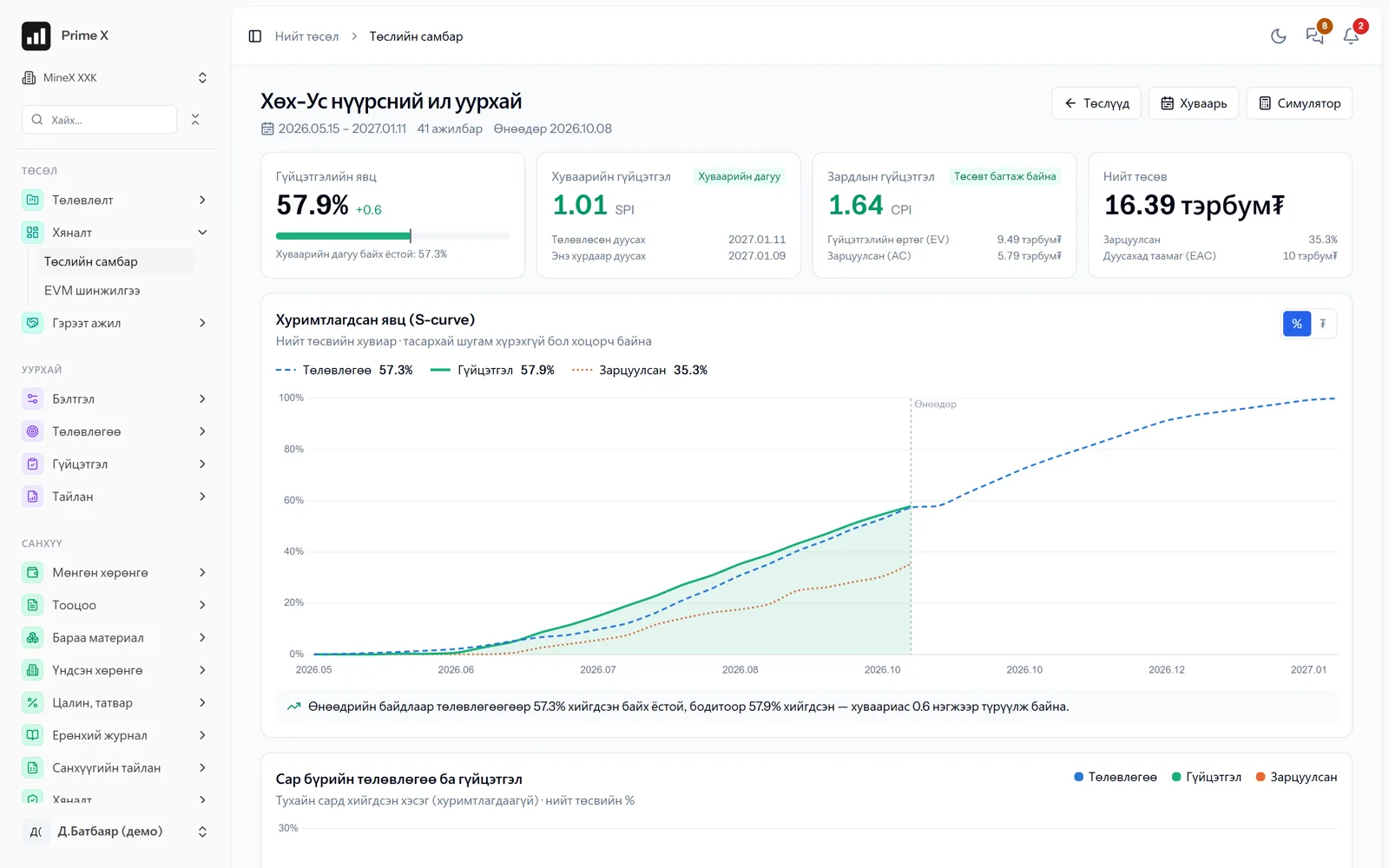
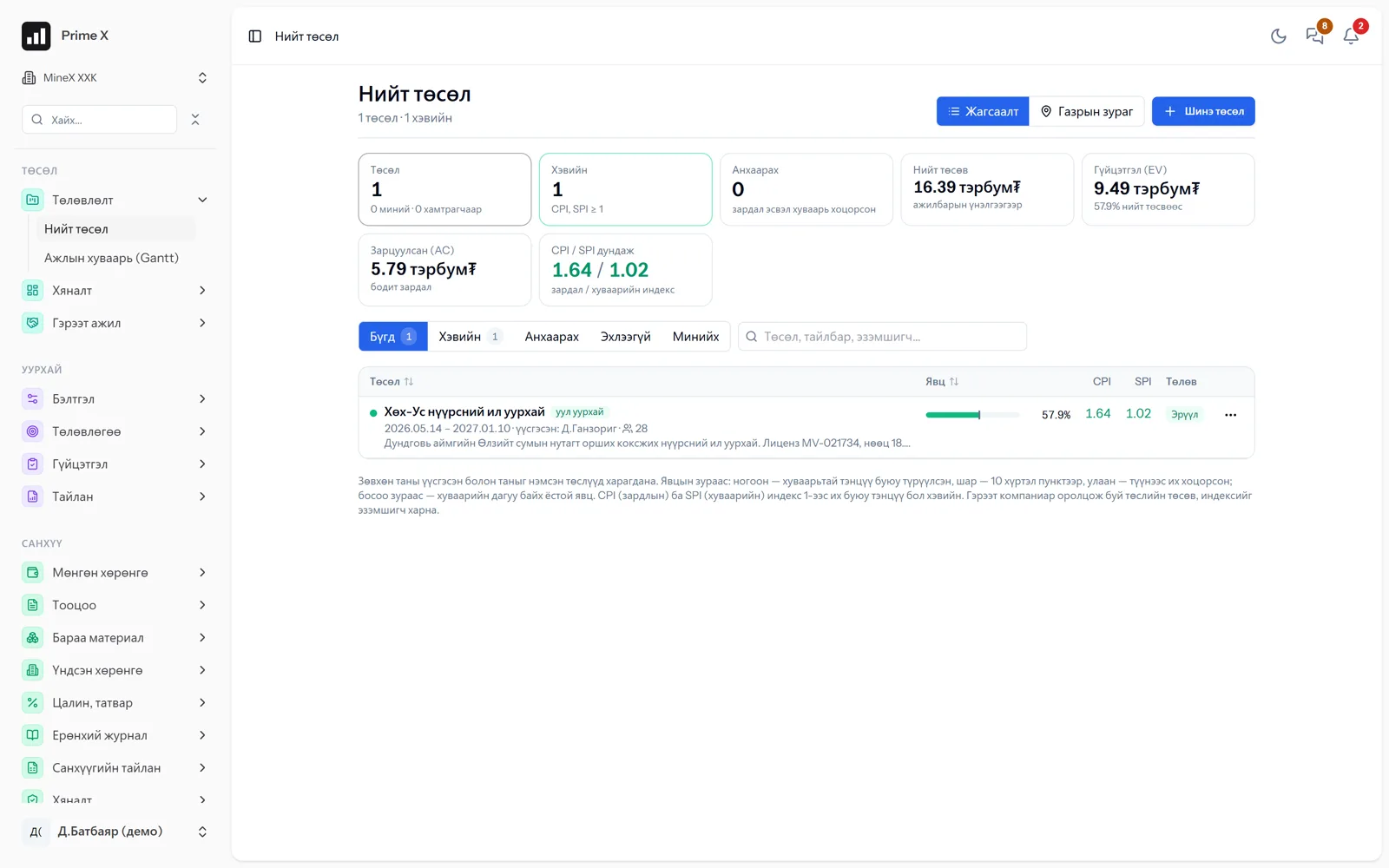
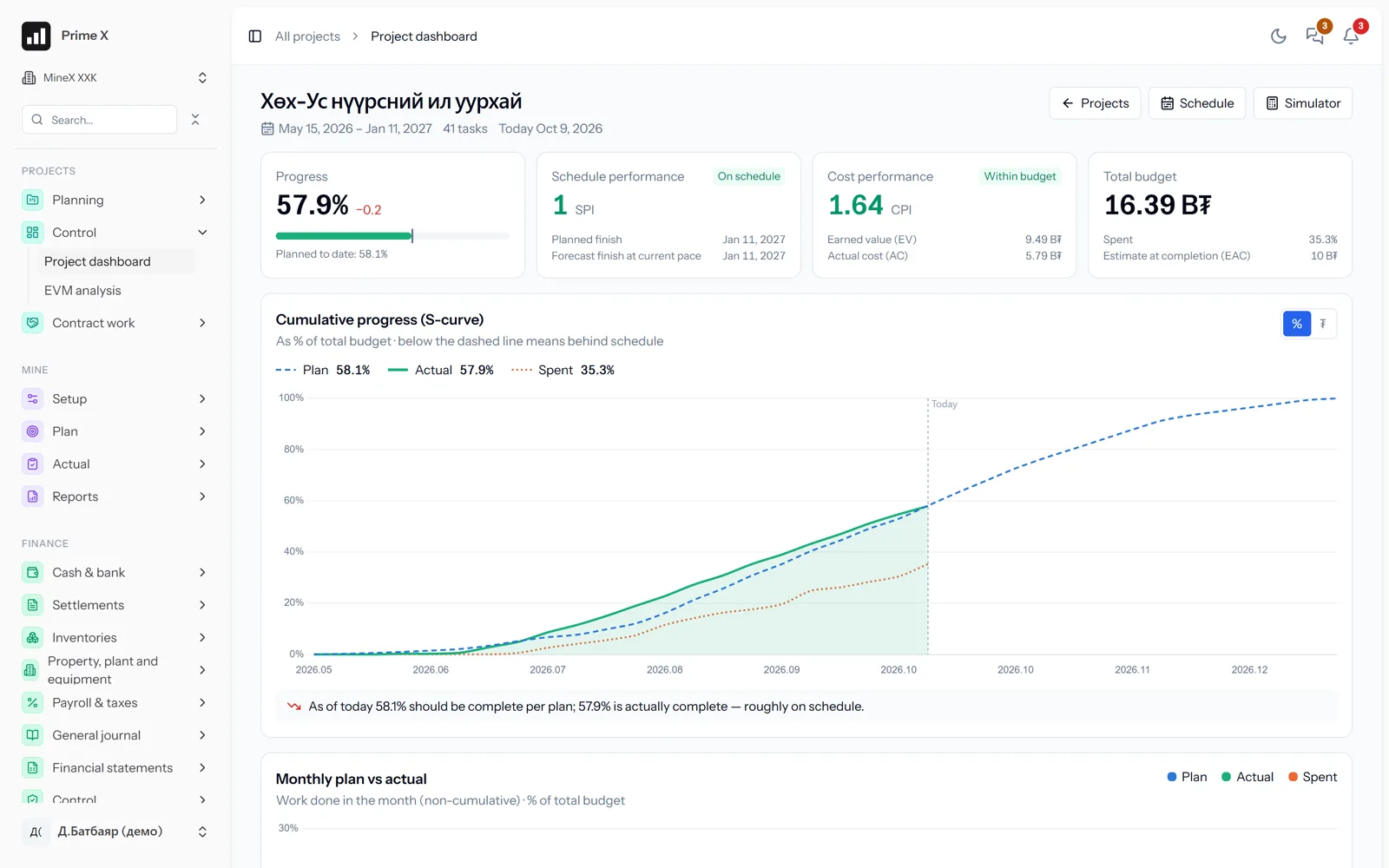
PrimeX · Project dashboard · Khukh-Us coal open pit
PrimeX project dashboard: performance progress, SPI, CPI, S-curve

Demo company screen · sample data

Assemble your solution

A digital office — choose the modules you need and assemble your own solution

PrimeX is not a single-industry program. Each module works on its own and connects to the others through one shared set of data. Choose your type of organisation and we suggest the modules that fit — then add or remove them to make it your own.

Type of organisation

Correspondence, attendance, payroll, cars — the base of any organisation.

Currently in real use in road construction, a sewing factory and a family clinic.

Sectors

Offices, factories, clinics, roads, mining — one system

Each sector takes the modules it needs: a clinic may never use mine dispatch, and a mine may never use sewing norms. Paperwork, HR, finance, procurement, chat and Prime AI are shared by all.

Office

A paperless office: correspondence, attendance and payroll in one place

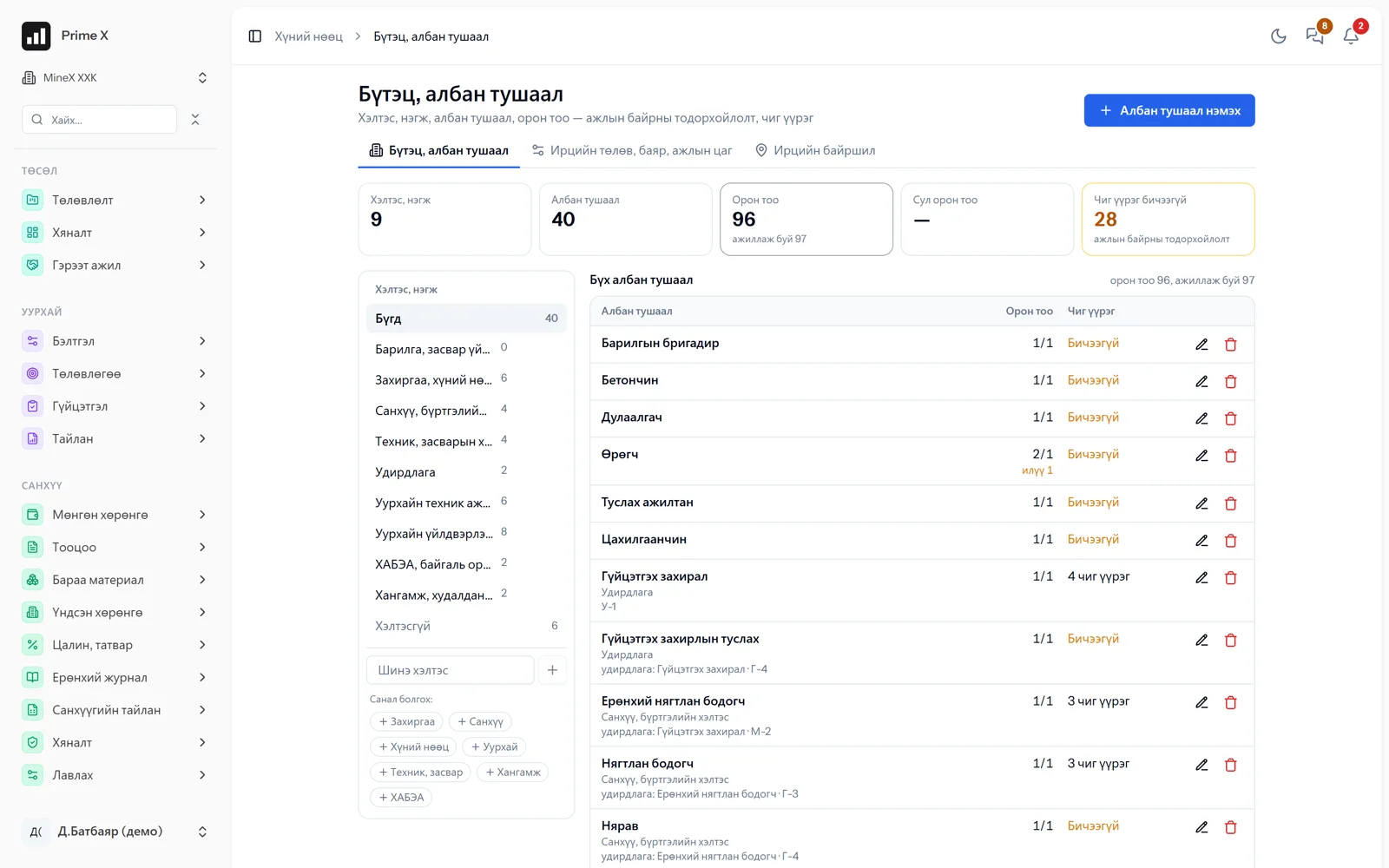
The base of any organisation: correspondence and orders, contracts, a file store, a shared work board, work chat, employee profiles and employment contracts, attendance by phone, payroll and company cars. Prime AI answers questions with numbers and reads documents to record them.

  • Letters, orders, contracts — from Word templates
  • Incoming and outgoing letters, owners, deadlines
  • Employee profiles, employment contracts, orders
  • Attendance by phone, leave, payroll
Details →

Manufacturing

Pay, rewards and competition by quantity of work done

In factories measured by output — sewing, assembly, processing, repair workshops: set a norm for every activity, count every employee’s daily work with attendance and show productivity as a percentage. Pay and rewards on a numerical basis.

  • A norm (quantity and hours) and daily plan for every activity
  • The employee or the foreman records on the work sheet
  • No attendance, no record — hours from attendance
  • The manager approves, corrects the quantity, rejects
Details →

Family clinics and services

Shifts, attendance and service counts — in one place

For family clinics and service organisations: doctors’ and nurses’ shift schedules and attendance, service counts recorded with norms in “Routine work” mode, and pay and bonuses based on the numbers. Supply of medicines and consumables, correspondence and contracts in one system.

  • Shift schedules, attendance by phone
  • Service counts — norms in “Routine work” mode
  • Performance and bonuses for each employee
  • Requisitions and stock of medicines and consumables
Details →

Infrastructure, roads

Every road layer is confirmed by measurement

Road and railway construction: materials and measurements per layer, equipment trips, contractor acts. Proven in real railway construction.

  • Project portfolio — a multi-year road, a project per year; P6 and MS Project import-export
  • Road layer register (subgrade, base, surface) and templates
  • Layer measurements, completion percentage
  • Road material consumption
Details →

Mining

One flow from extraction to sales

The open-pit mine’s daily work: blocks, blasting, loading, hauling, stockpiles, quality, survey measurements, acts and settlements with contractors. For exploration companies: costs, drilling, samples and measurements per licence become separate projects and reports come out by licence.

  • Monthly and daily extraction plans, blocks and blasting
  • Drilling records, hours
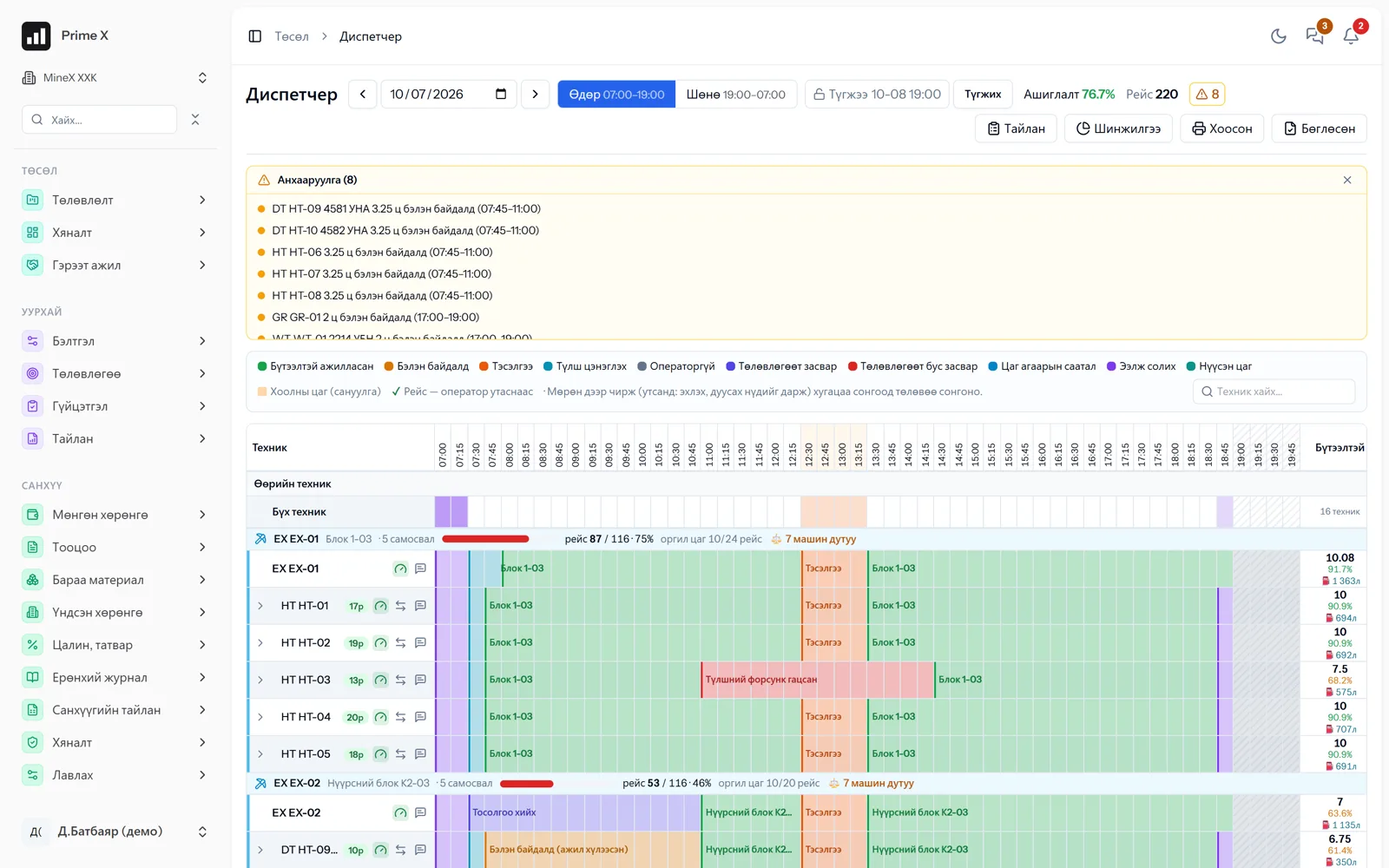
  • Dispatcher — 1:1 with the waybill
  • Trips, fuel, time usage, rental settlements
Details →

Prime AI assistant

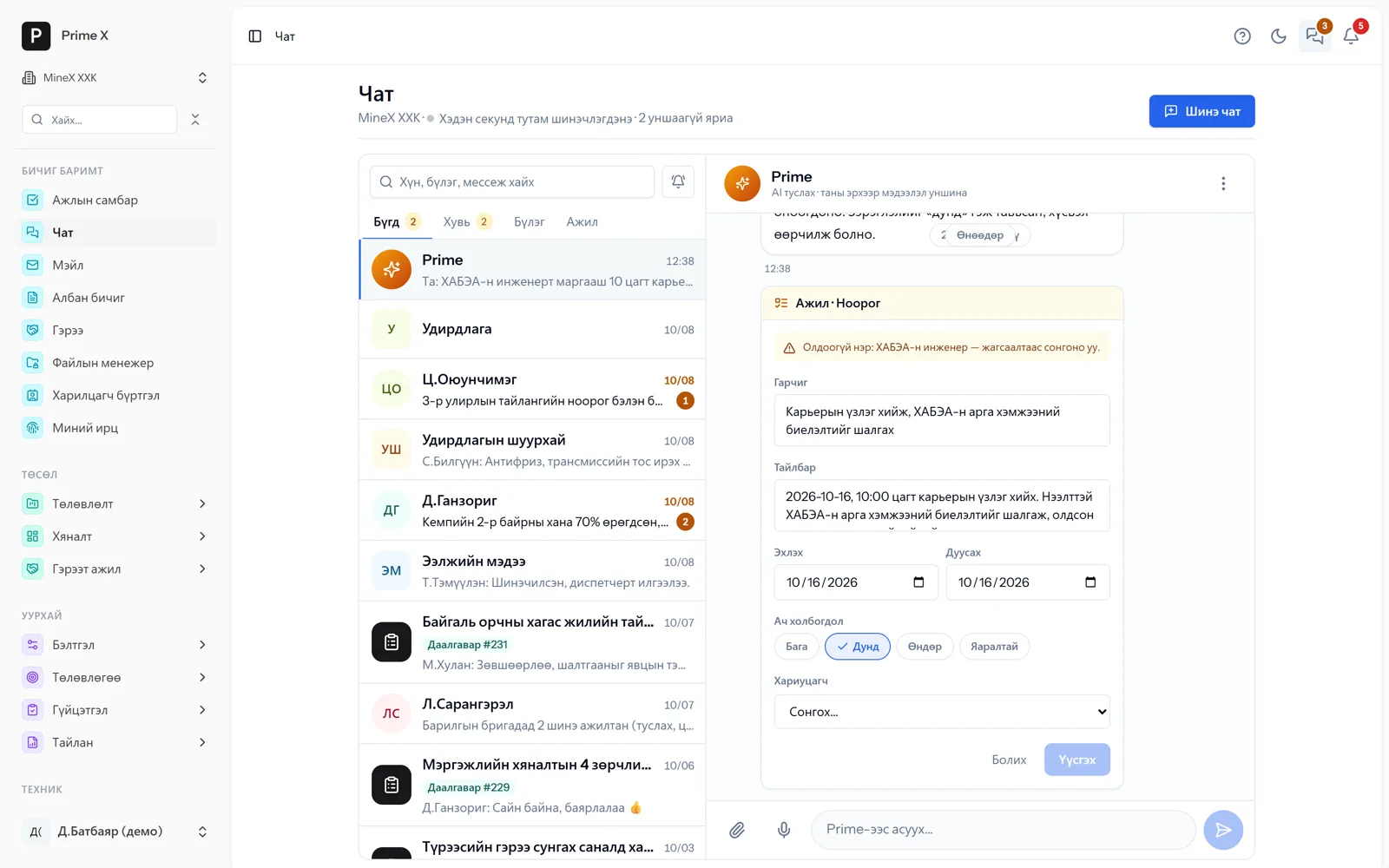
Ask. It answers with numbers, without opening a report.

Prime is the AI assistant that works inside the system. It reads the records you are entitled to and answers questions about trips, idle time, cash, expenses, attendance and tasks right away. The answer is a recorded number, not a guess.

  • Which machine had the most idle time this week, and why?
  • What is this month’s cash balance, and what was the biggest expense?
  • Do I have any overdue tasks assigned to me?
  • Where are my procurement requests?

Ask by voice

Hands busy in the field? Press the microphone and ask in Mongolian. Prime turns speech into text, counts from the records and answers.

Prime reads only the data the asking person is entitled to. The company decides by permissions who gets it.

See the Prime AI and chat section →
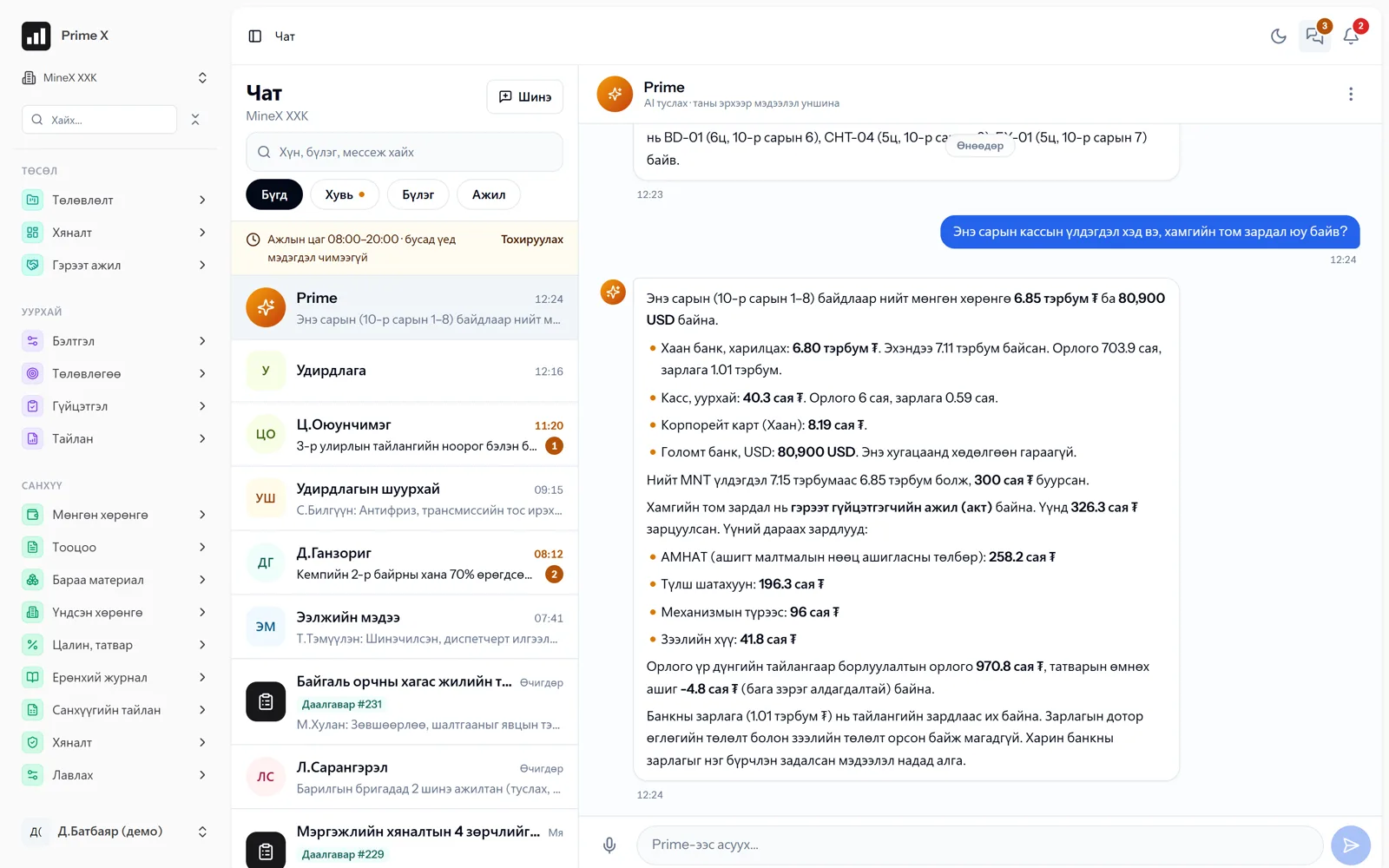
PrimeX · Prime AI assistant · Cash and bank balances
Prime AI assistant · Cash and bank balances
Real questions, real answers — on the demo company’s data
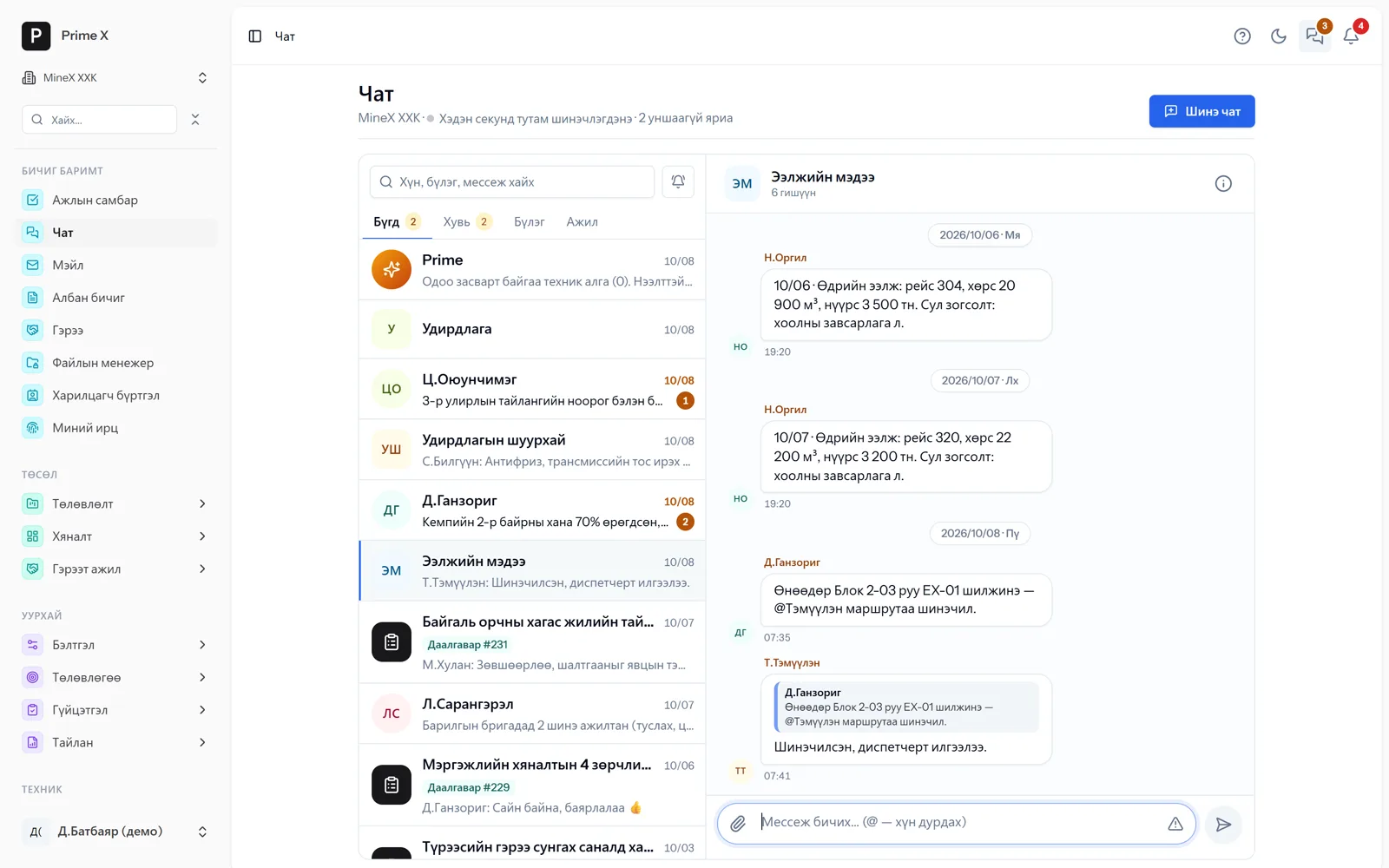
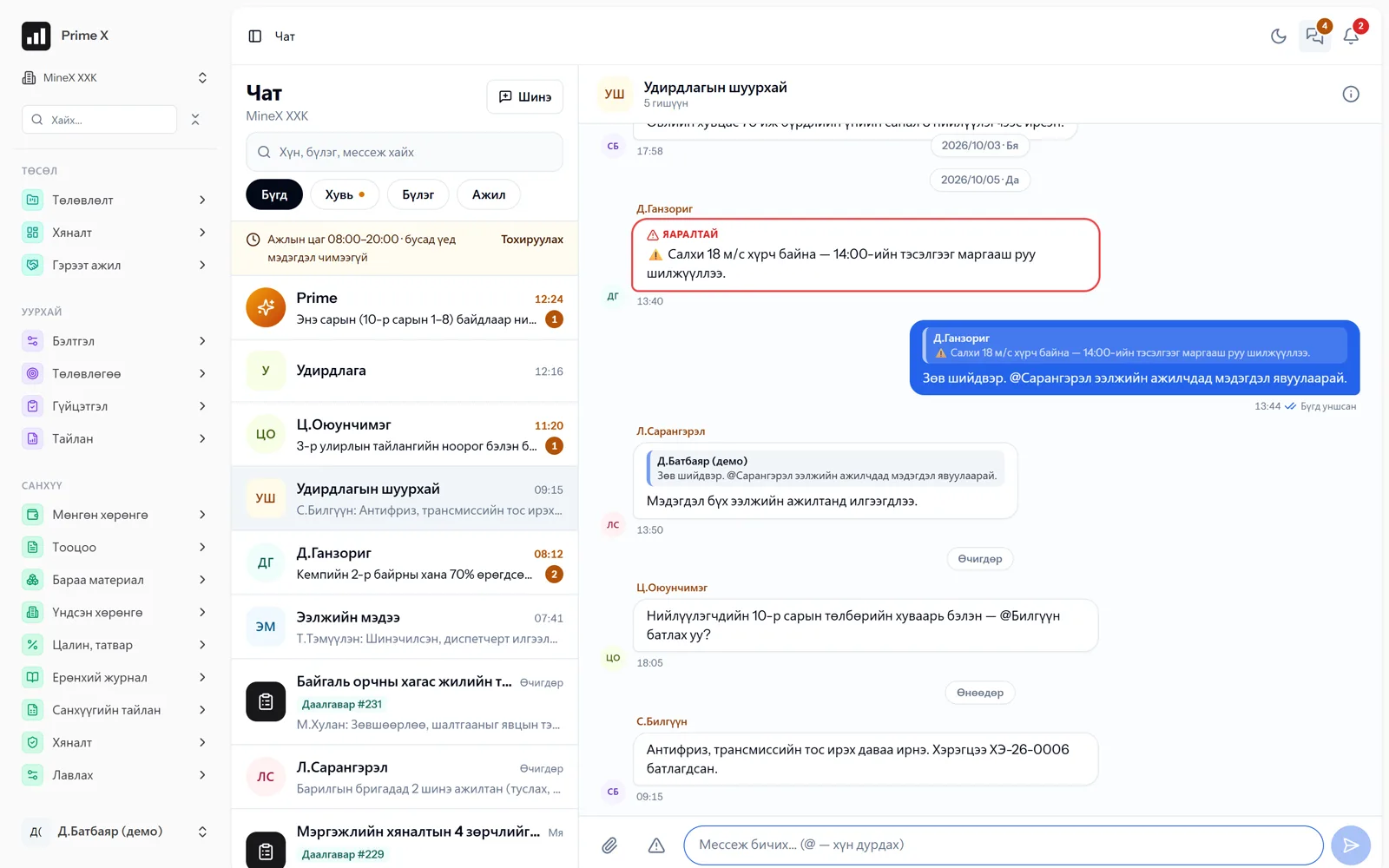
PrimeX · Chat · Shift report
Chat · Shift report
Demo company screen · sample data
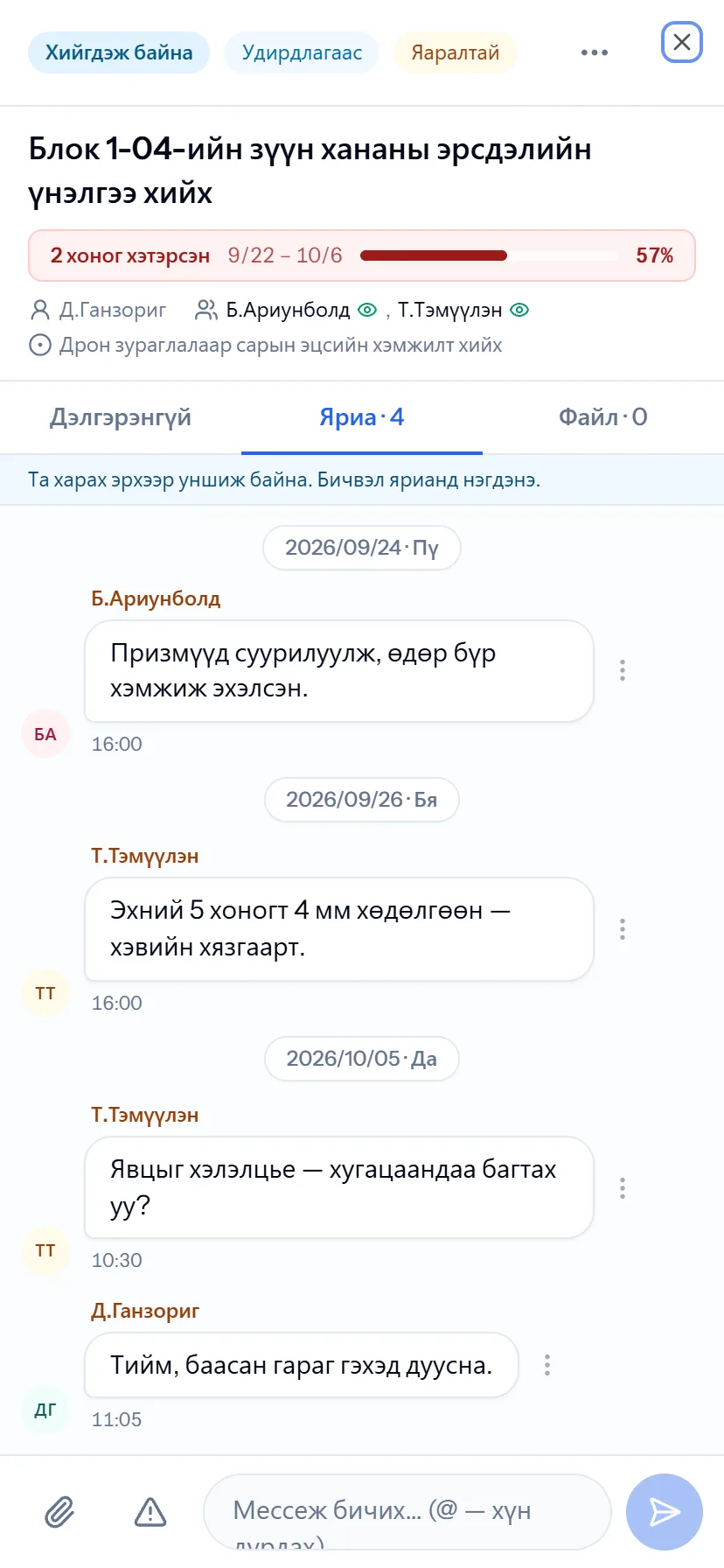
Task chat — mobile

Task chat — mobile

Chat

Work information stays in the work chat

When shift reports, repair decisions and act approvals are scattered across public messengers, nobody can later find who said what and when. In PrimeX the conversation is kept together with its task, waybill and department. When an employee leaves, the conversation stays with the company. Official business runs through official channels.

  • Private, group and department chats — in real time
  • Every task has its own chat, progress notes join the conversation
  • Waybill chat: machine × day × shift
  • Urgent messages, @mentions, files, read receipts
  • Encrypted; notifications silent outside working hours
  • Notifications on the phone via Telegram and Web Push

Why PrimeX?

Can you answer these questions today?

Management asks these questions every day. When the answers are scattered across Excel, paper and several programs, the truth only surfaces at month-end reconciliation. PrimeX answers with real numbers, right away.

  • Which machine has the most idle time, and why?
  • What is the cash balance, and what is the biggest expense?
  • Was the engine-hour service done on time?
  • Is the work plan being met?
  • Was the rented equipment payment calculated correctly?
  • Who is working at the mine right now?
  • Is staff attendance complete?
  • Does the contractor’s act match our figures?
  • Will inventory stock last?
  • Is every employee’s attendance and norm fulfilment reaching the target?
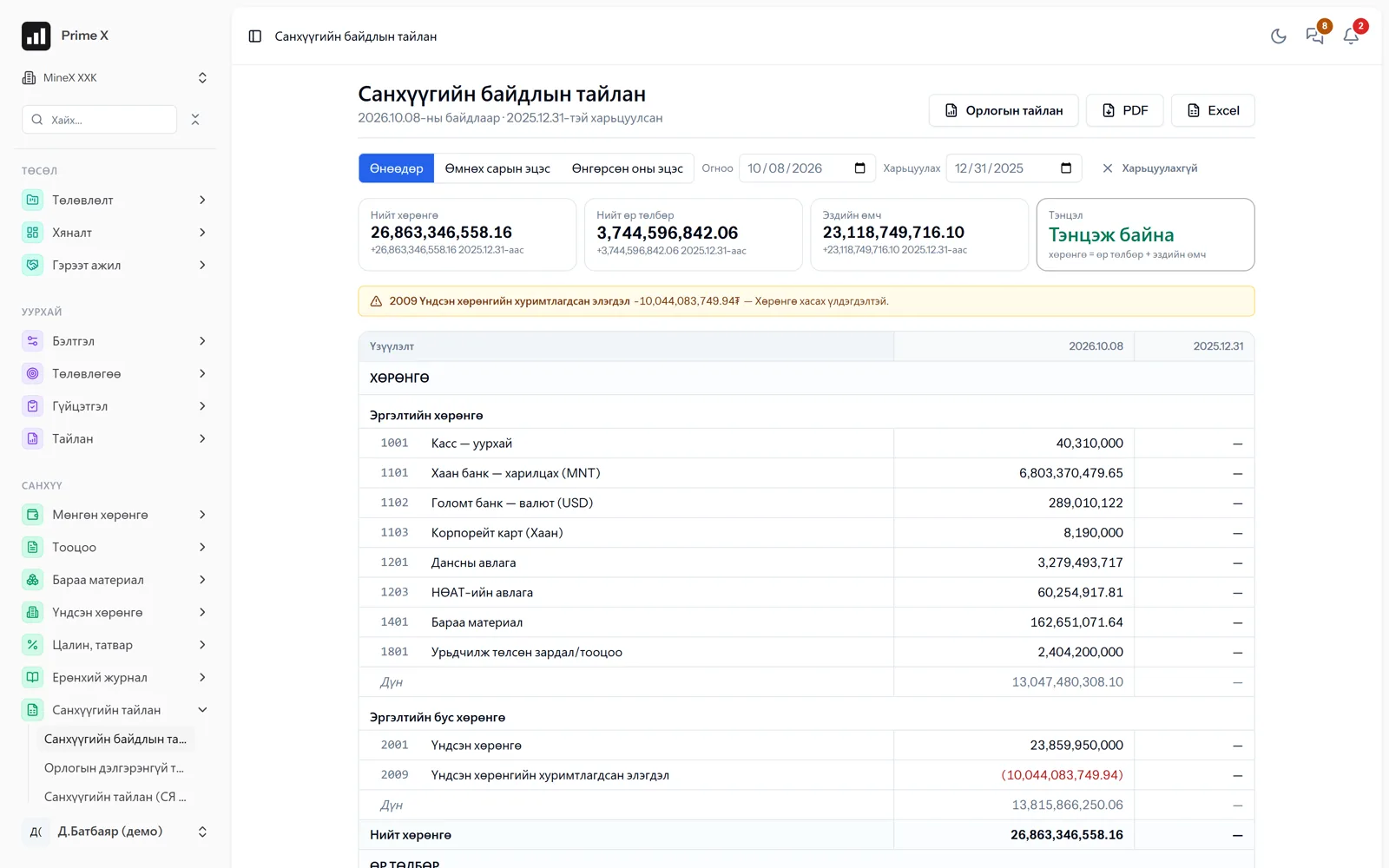
  • Do the financial statements match actual performance?
  • Is hot work being done with permits, and how many actions are still open?
  • How many hectares of rehabilitation are ready for handover?
  • Who said what, when and where about yesterday’s shift decision?
  • Can an investor see the reports in their own language, in yuan or dollars?
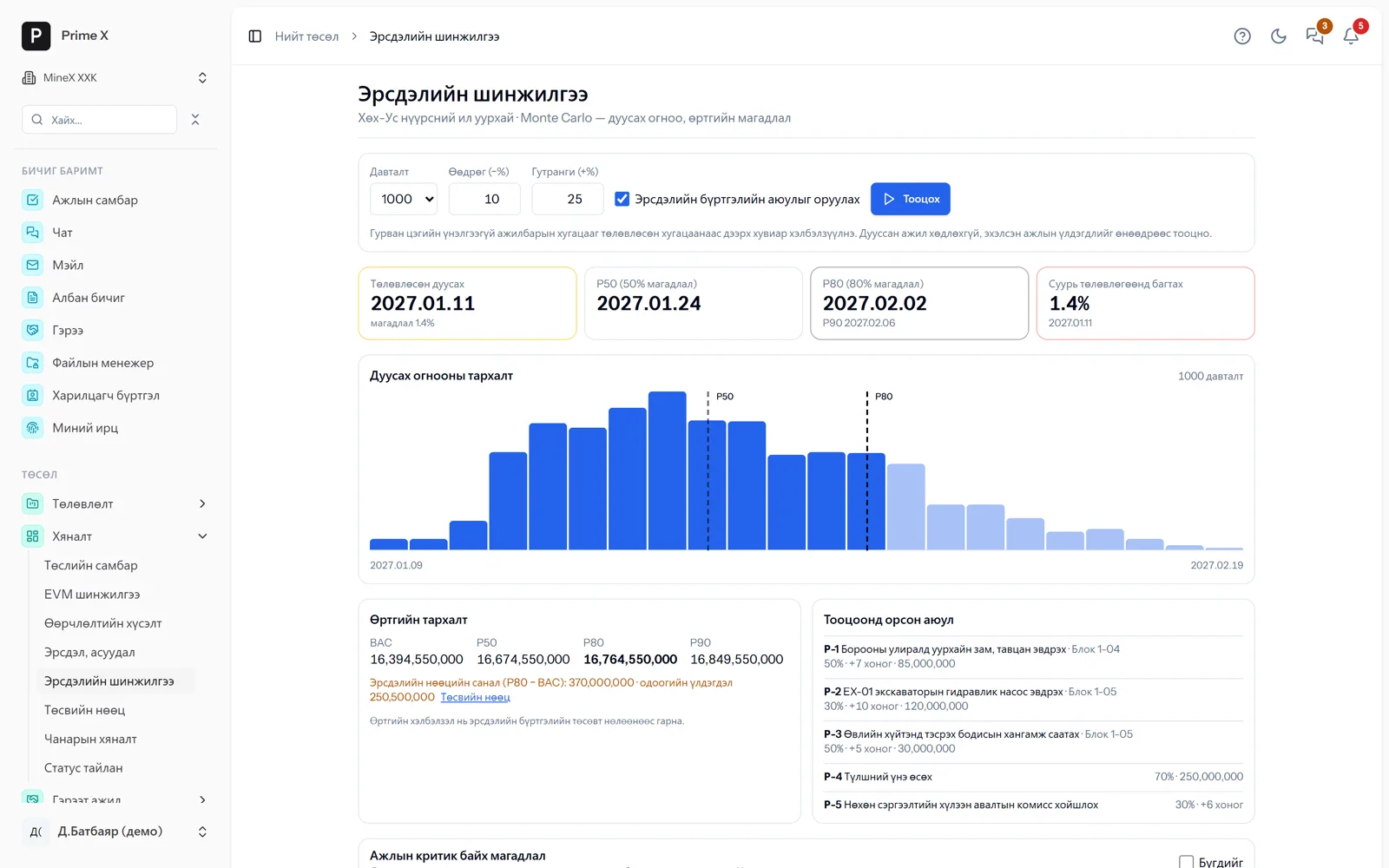
  • What is the probability the project fits its schedule, and what is the P80 date?
  • Where is every truck right now, and how many are waiting in the loading zone?
  • Will cash last the next 13 weeks?

Every answer — on one screen.

Record once, every report automatic. One dispatcher entry reaches the trip report, rental settlement, act, invoice and general ledger.

See the flow →

A complete system for everything an organisation needs

Thirteen sections, one set of data

Prime AI and chat, projects, mining, rental marketplace, work norms, HSE, environment, human resources, time and attendance, office administration, company cars, procurement, finance — every section does its own work and all meet in one general ledger. Every section has the same layout: search, tabs, filters and export in the same places.

Prime AI & chat

Prime AI & chat

Asks, assigns tasks, reads documents — in 5 languages; work chat, notifications

The Prime AI assistant answers instantly from your records about trips, idle time, cash, attendance and tasks — in the language you ask (Mongolian, English, Chinese, Russian, Korean). From chat it assigns tasks, schedules meetings and posts announcements; it reads photos of official letters, contracts and equipment certificates and drafts the record. Chat exists for every person, group, task and waybill.

Question (text / voice)→Prime→Answer→Chat→Task→Notifications
Details →
Projects

Projects New

PMBOK / ISO 21502 — baseline, EVM, risks, Monte Carlo, P6 import

Project charter, WBS dictionary, baseline, change requests, EVM, risks, Monte Carlo, budget reserves, quality, status reports. Import from Primavera P6 and MS Project and export back. Progress is not typed in by hand — it comes from trips, surveys and work records.

Charter→WBS→Baseline→EVM→Risk→Act
Details →
Mining & equipment

Mining & equipment

Dispatcher, GPS, geofences, Cab app, surveyor, maintenance

Field work at open pits and road projects: plans, roster, dispatcher, trips, fuel, surveys, equipment maintenance. A GPS tracker on the machine or the driver’s phone (Cab app) — trips are recognised automatically by geofence, live dispatch in real time.

Roster→Dispatcher→GPS trip→Survey→Act→Ledger
Details →
Rental marketplace

Rental marketplace New

Rent and lease equipment — free portal

Rental companies and individuals register on PrimeX for free and list their equipment: price, terms and busy dates on a calendar. Mines and road projects search by period, type and region and send offers; several companies compete at once. When an offer is accepted, the contract, equipment record and rental settlement are created automatically.

Listing→Search→Offer→Contract→Daily settlement→Monthly act
Details →
Work norms & productivity

Work norms & productivity

Norms, daily records, productivity — also for routine work without a project

Set a norm for every job and employees record what they did each day. Once approved, progress, productivity, pay and statistics follow automatically. “Routine work” mode needs no project or schedule: a monthly quantity with progress by working day — patients seen at a clinic, products made in a workshop.

Norm→Attendance→Record→Approve→Productivity→Payroll
Details →
HSE

HSE New

ISO 45001 system: risks, permits, incidents, training, audits

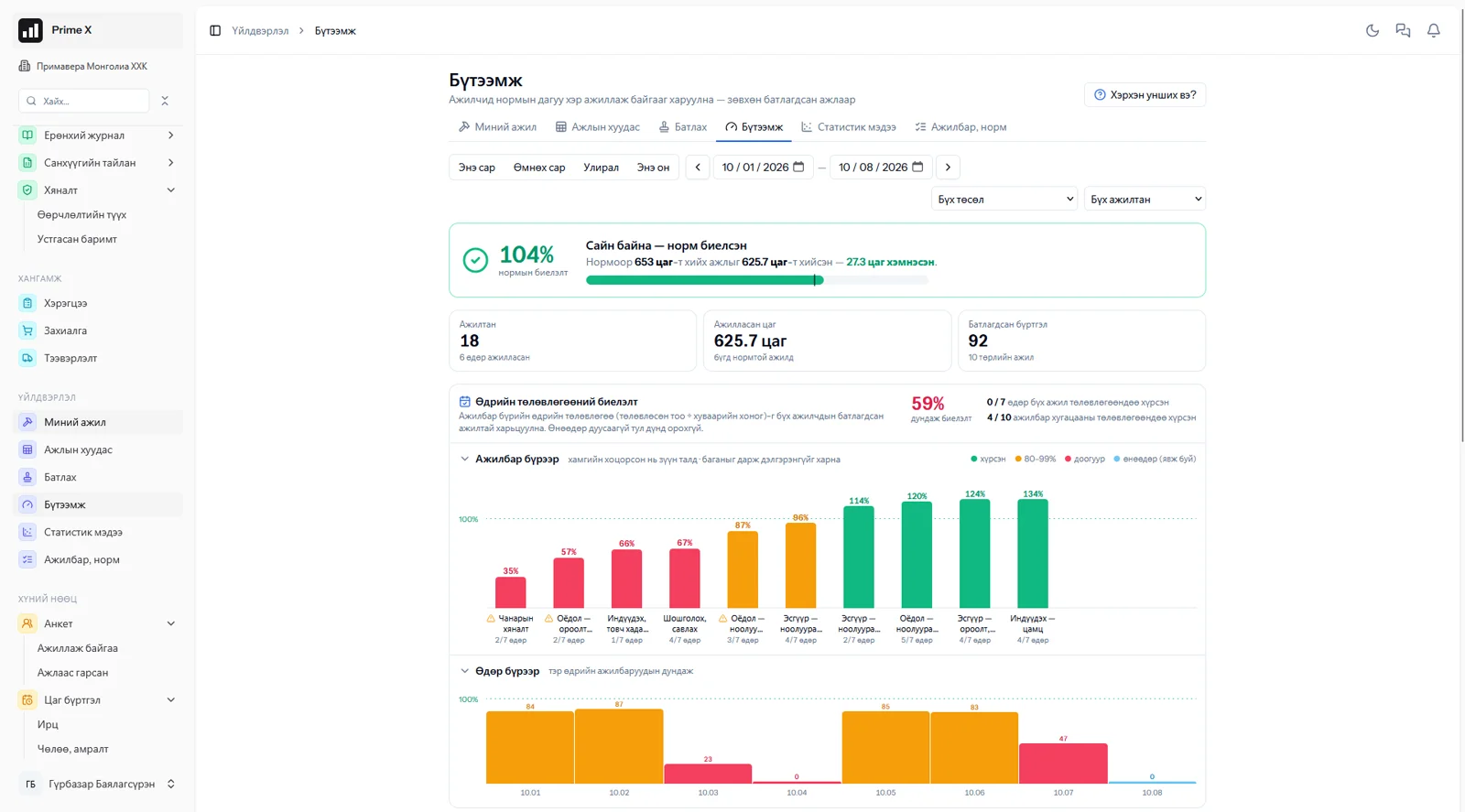
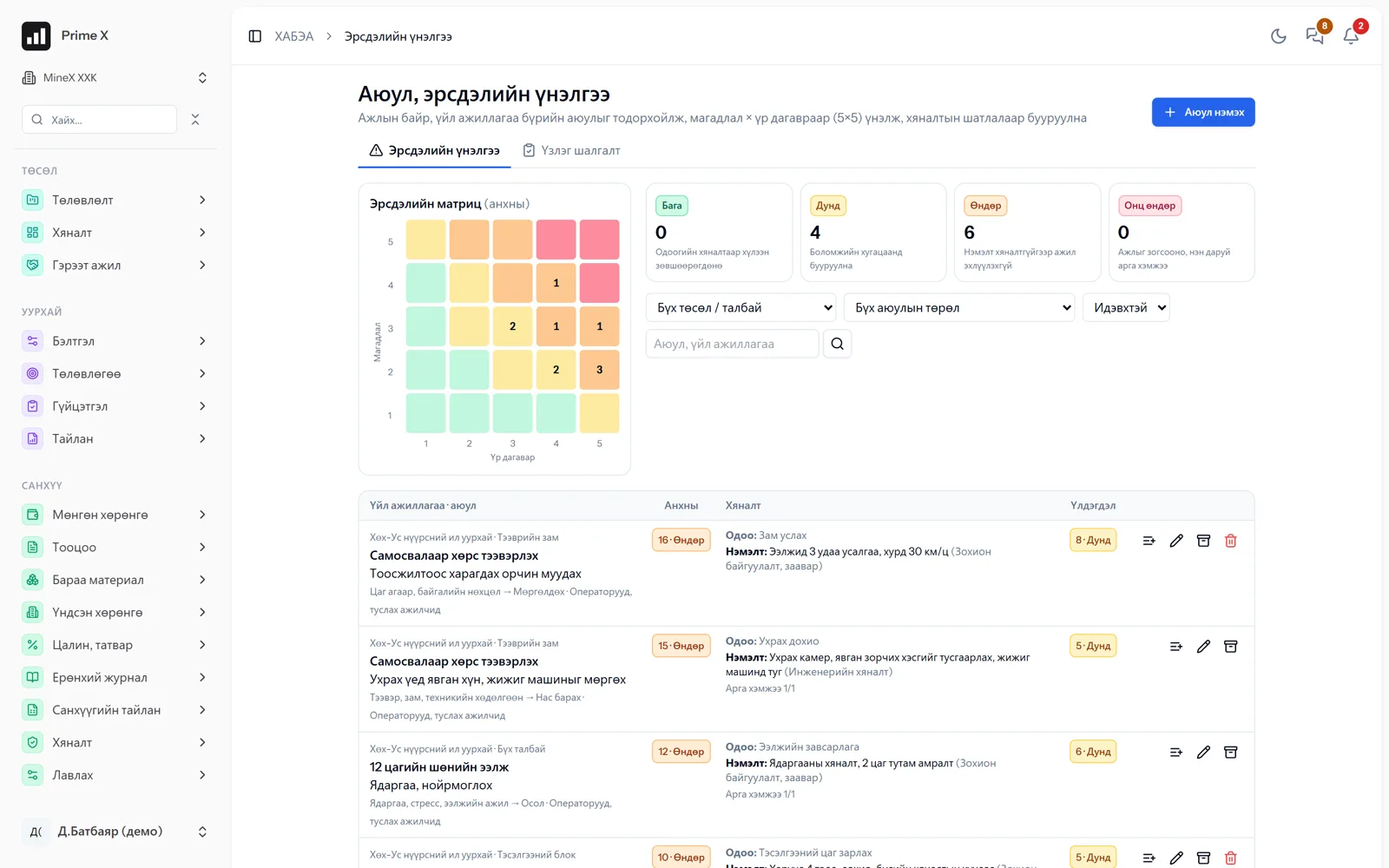
The ISO 45001 PDCA cycle: risk assessment, inspections, work permits → training, PPE, health → incidents, near misses → actions → dashboard, monthly report. Management system: policy, objectives, legal requirements, change, emergencies, contractors, consultation meetings, internal audit, management review — each clause of the standard shown green / yellow / red.

Risk→Inspection→Permit→Incident→Action→Audit
Details →
Environment

Environment New

ISO 14001 system, monitoring, water, waste, rehabilitation

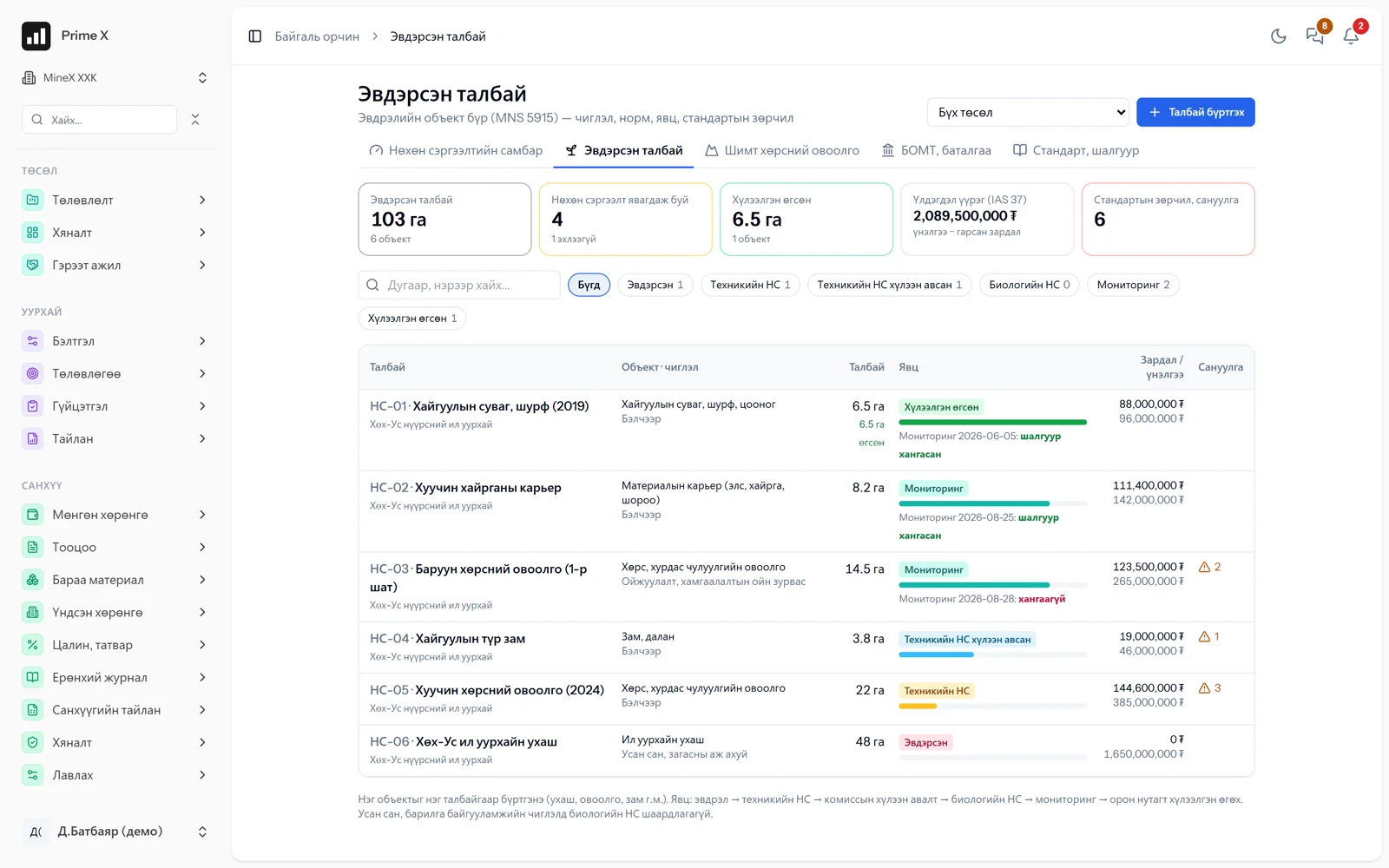
ISO 14001 system: policy, aspects and impacts, legislation, emergencies, audit, review. Each sample at every environmental monitoring point is checked against the MNS standard; an exceedance creates an incident automatically. Water use (GRI 303), waste (GRI 306), complaints from citizens and herders. Rehabilitation stage by stage under MNS 5914–5918 and A-138.

Policy→Monitoring→Disturbance→Rehabilitation→Audit→Handover
Details →
Human resources & payroll

Human resources & payroll

Profiles, orders, payroll, piecework

Profiles, structure, orders, employment contracts, payroll. Piece pay and bonuses from the work done in the workshop.

Profile→Order→Attendance→Performance→Payroll→Ledger
Details →
Time & attendance

Time & attendance New

Office and mine attendance, evidence, approval, fatigue, roster-based pay

Office staff by phone GPS, mine staff by roster, cab, waybill, HSE check, gate and transport — in one table. The foreman approves the day’s attendance, the month is closed, corrections keep a history. Night hours, fatigue limits, pay on roster rotation.

Evidence→Attendance→Approve→Close month→Fatigue→Payroll
Details →
Company cars

Company cars New

Bookings, odometer, signature, waybill — for any organisation

An employee books a car by phone, the coordinator assigns a car and driver and approves, the driver records the departure and return odometer, and the passenger confirms with a signature. Waybill, km, fuel, unrecorded km — reports automatically. Not only mines: any organisation’s office.

Booking→Assign→Depart→Return→Signature→Report
Details →
Office administration

Office administration

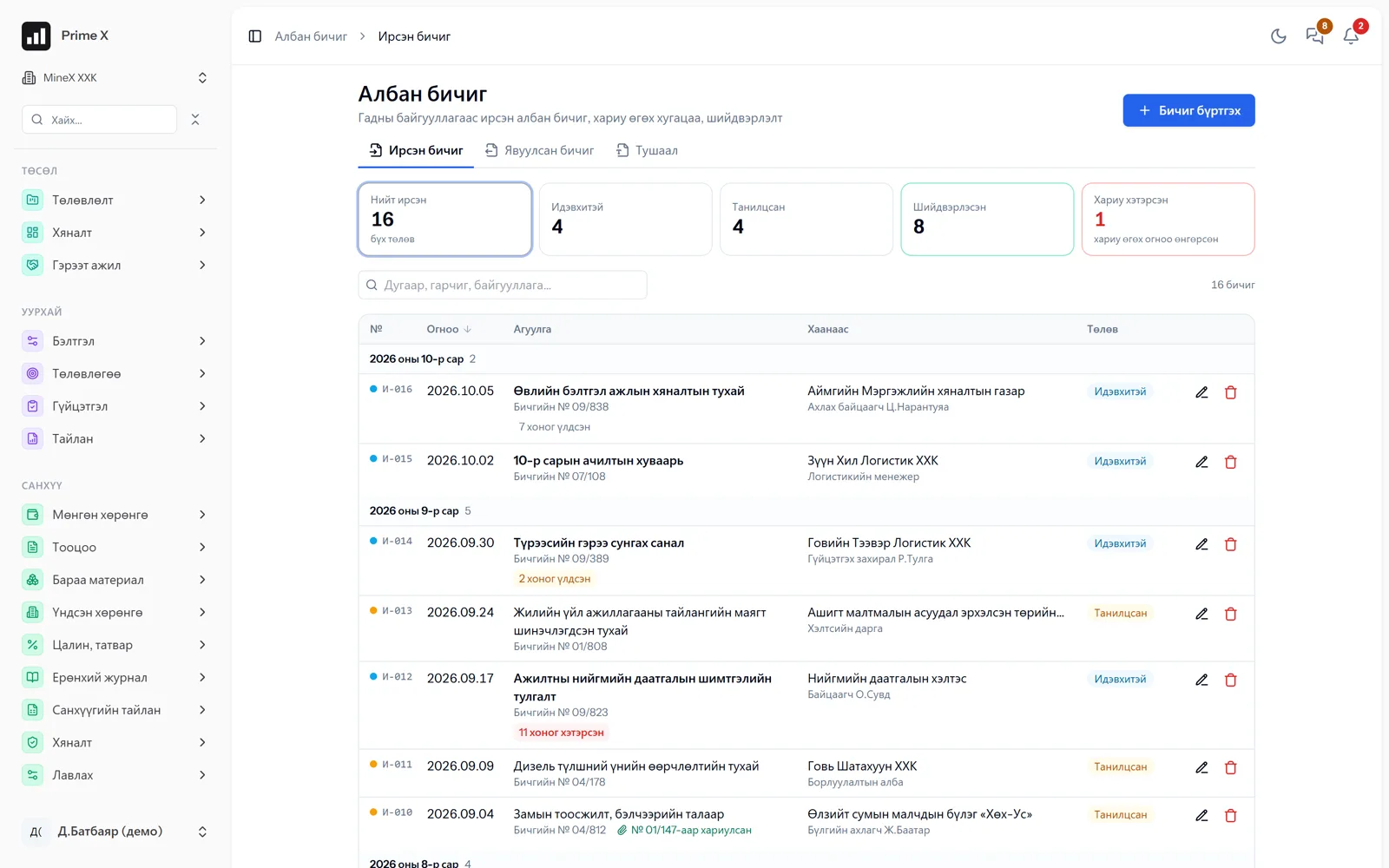
Correspondence, orders, contracts, file manager, collaboration

Incoming and outgoing correspondence, orders, contract register (payment schedule, obligations, auto-renewal, reminders), file manager (versions, sharing, external links), counterparties, meetings, tasks and mail in one place. Help guide in 5 languages inside the app.

Incoming letters→Task→Order→Contract→Files→Archive
Details →
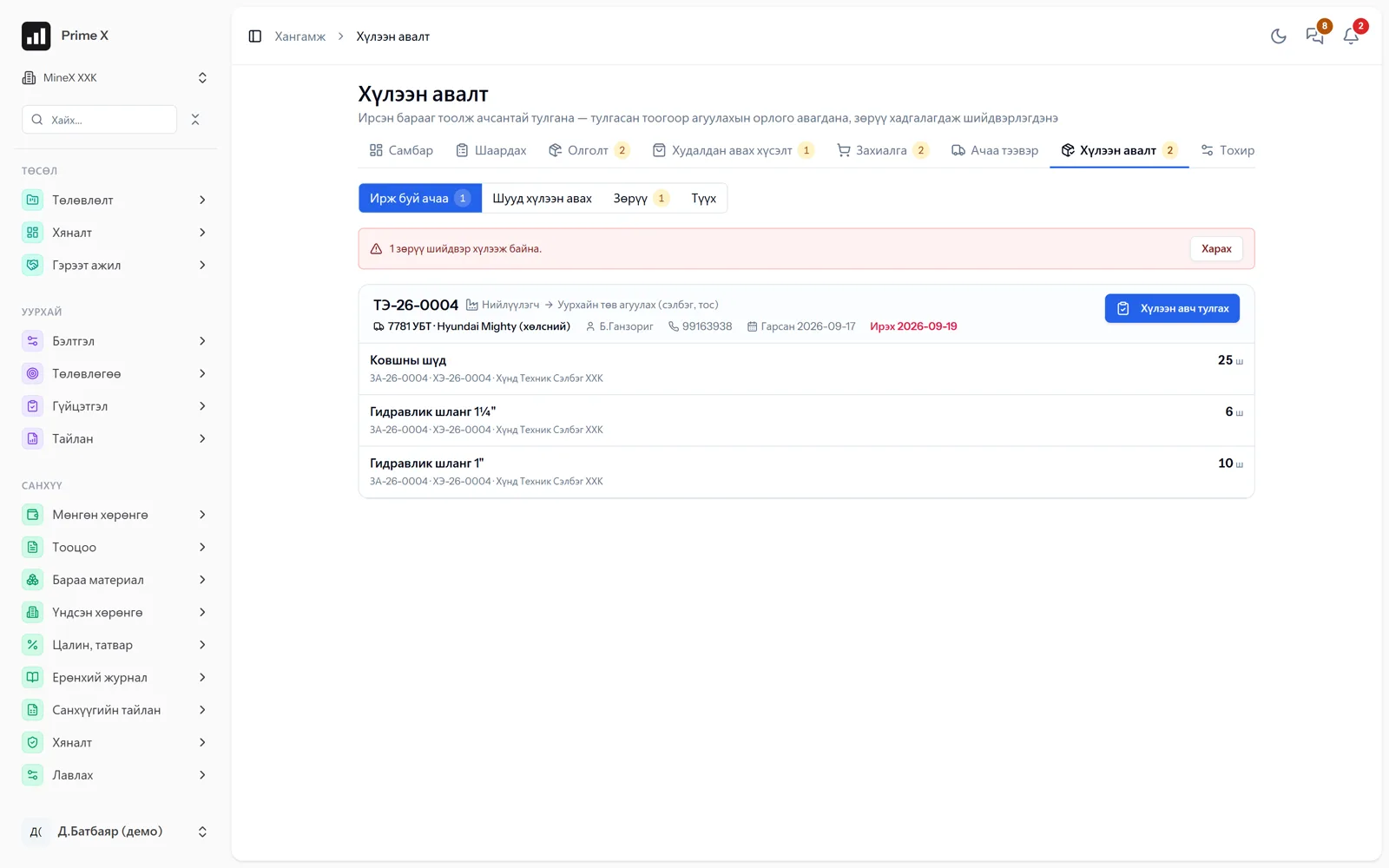
Procurement & warehouse

Procurement & warehouse

Request → approve → issue / purchase → reconcile

An employee requests by phone, management approves, the storekeeper issues from the warehouse or raises a purchase. Quotations, orders, freight, receiving and reconciliation — every discrepancy on record.

Request→Approve→Issue / Order→Freight→Reconcile→Ledger
Details →
Finance & accounting

Finance & accounting

Double-entry accounting with a general ledger, Ministry of Finance report formats

Every operational transaction goes into the general ledger as a double entry automatically. Financial statements in the Ministry of Finance formats.

Transactions→Ledger→Reconciliation→Balance sheet→Report→Closure
Details →

New · October 2026

New capabilities for every sector. What was added in one month

Project management at the level of Primavera P6, equipment by GPS, mine attendance with evidence, pre-shift checks, company cars, work norms even without a project, the rental marketplace, ISO 45001 / 14001, a Prime that takes action, financial health, five languages. All on one set of data, every module separate.

PrimeX · Projects — PMBOK / ISO 21502
Projects — PMBOK / ISO 21502

Projects — PMBOK / ISO 21502 New

P80 — 2027-02-02 · 1,000 iterations

Charter, WBS dictionary, baseline, EVM, risks, Monte Carlo (P50/P80), reserves, quality, status reports. P6 and MS Project import-export. Equipment and labour loading.

Details →
PrimeX · Fleet — GPS, geofences, Cab
Fleet — GPS, geofences, Cab

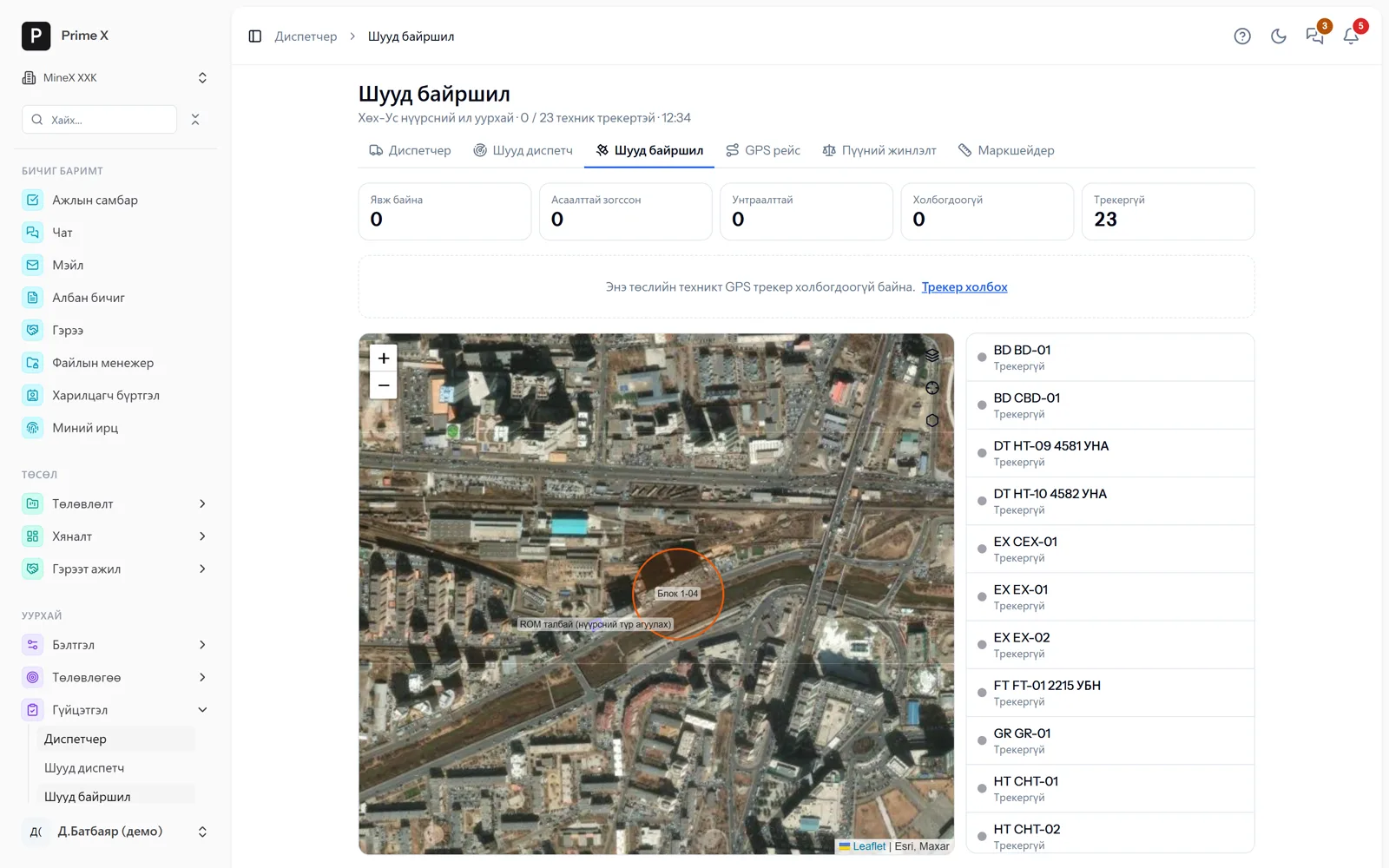
Fleet — GPS, geofences, Cab New

Every 15 seconds · works offline too

A machine’s tracker or the driver’s phone: live location, trips automatic by geofence, live dispatch, weighbridge. The Cab Android app sends even with the screen off.

Details →
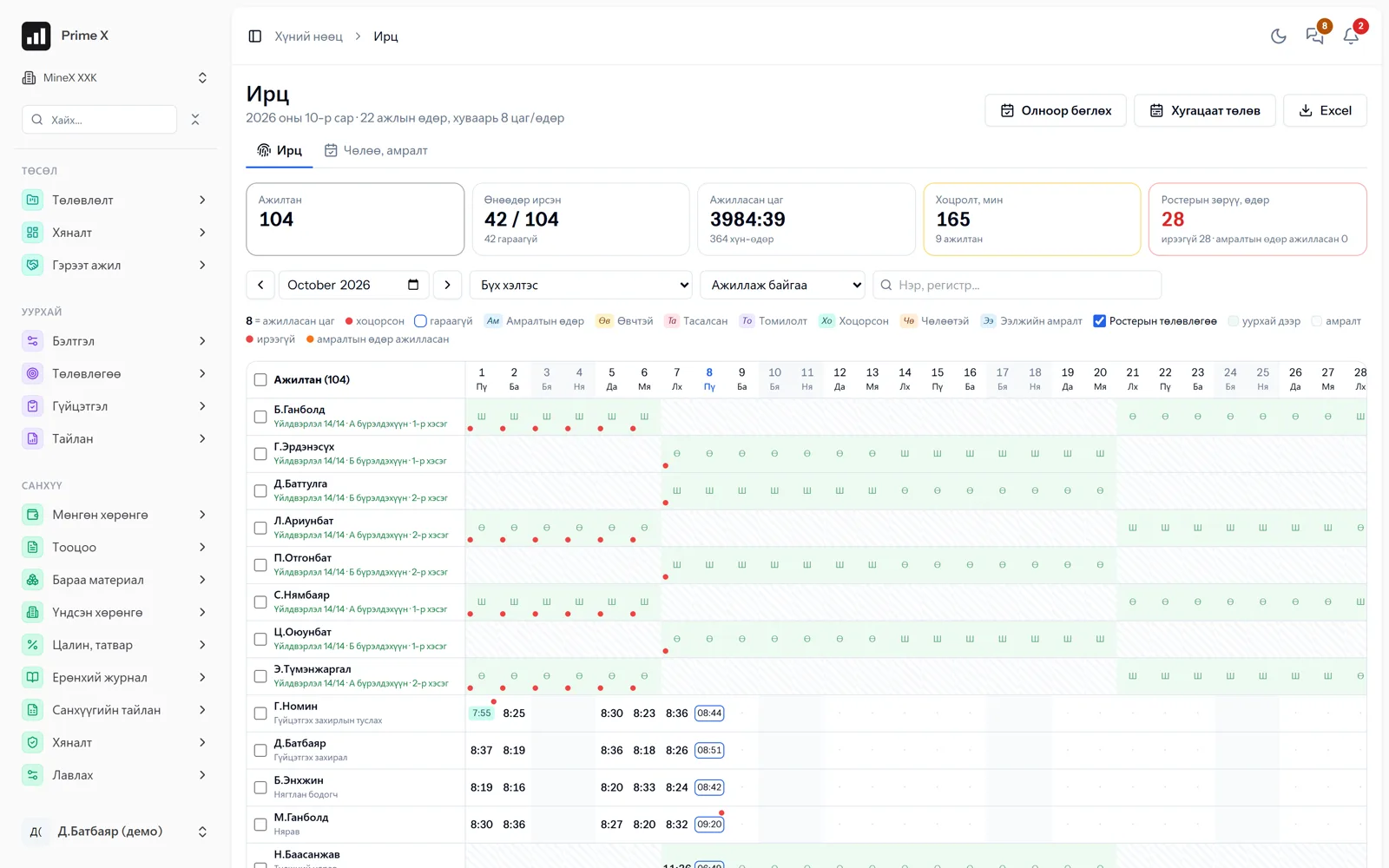
PrimeX · Mine attendance — evidence, approval, fatigue
Mine attendance — evidence, approval, fatigue

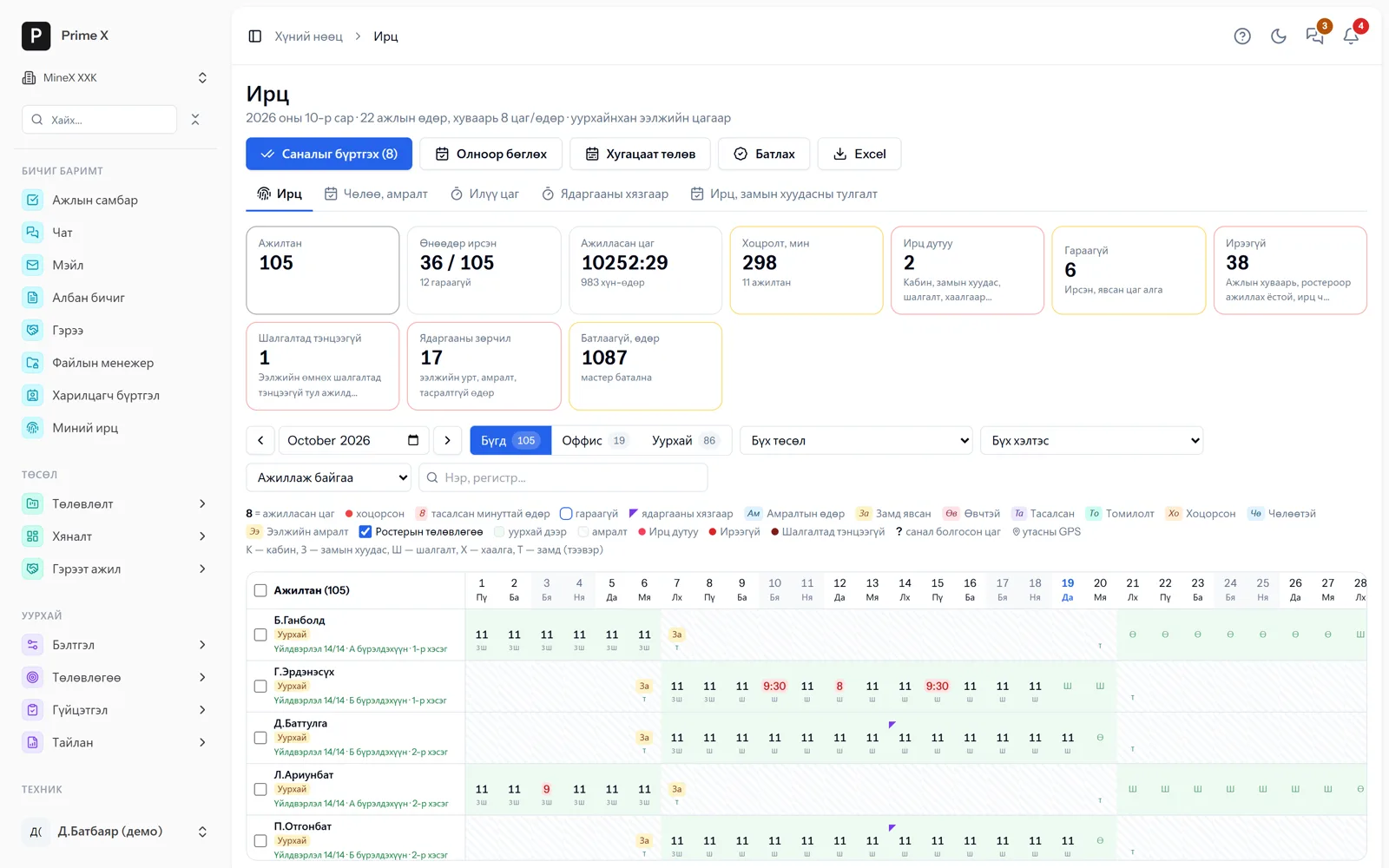
Mine attendance — evidence, approval, fatigue New

105 employees · in one table

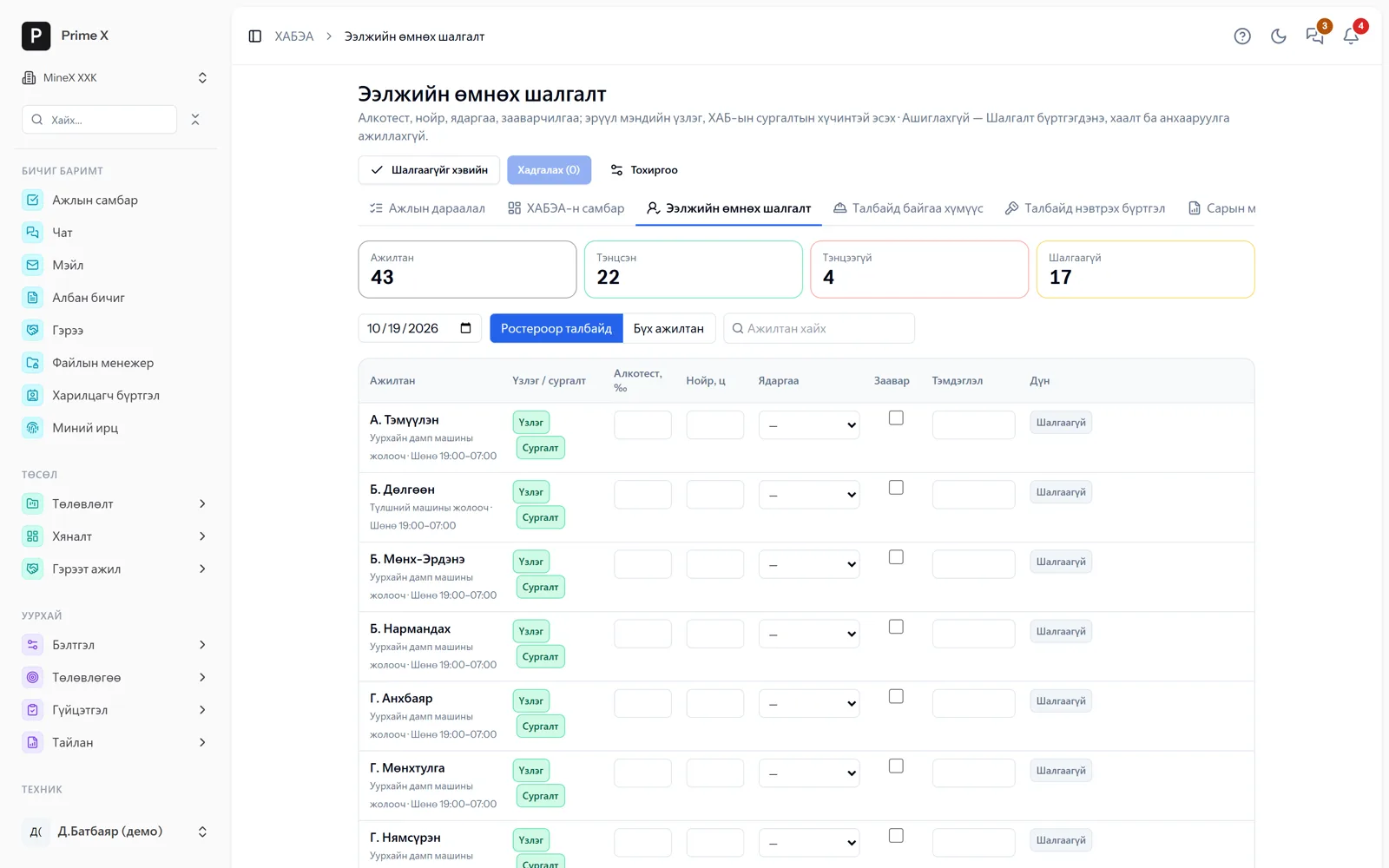
Roster, cab, waybill, HSE check, gate, transport — every attendance record has evidence. The foreman approves, the month closes, corrections keep a history. Night hours, fatigue limits, pay at roster rotation.

Details →
PrimeX · Pre-shift check, people on site
Pre-shift check, people on site

Pre-shift check, people on site New

Passed 22 · failed 4

Breathalyser, sleep, fatigue, briefing — if failed, the Cab is blocked. Who is on site right now (ILO C176), emergency headcount by phone, contractor access. ISO 45001 / 14001 compliance boards.

Details →
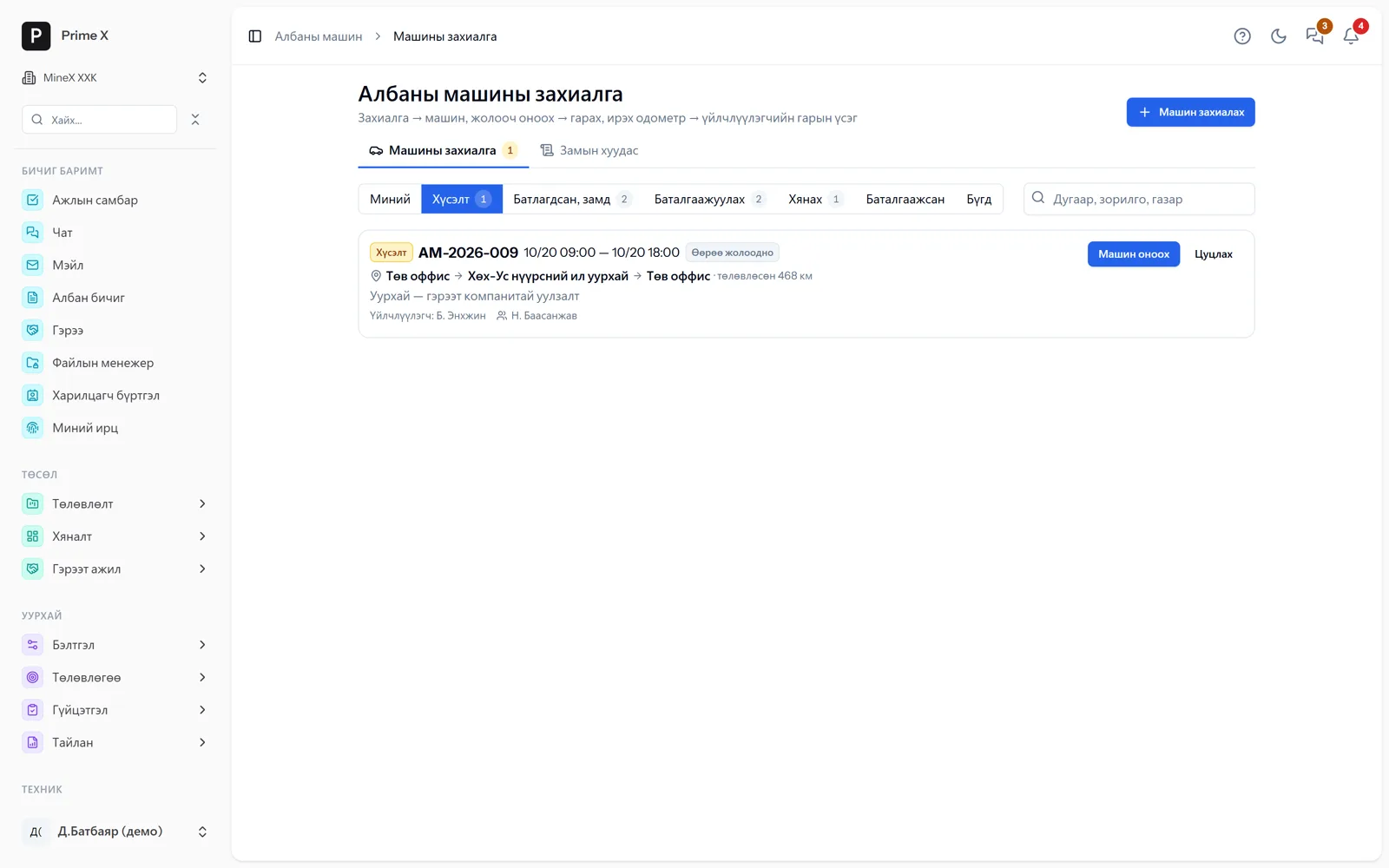
PrimeX · Company cars
Company cars

Company cars New

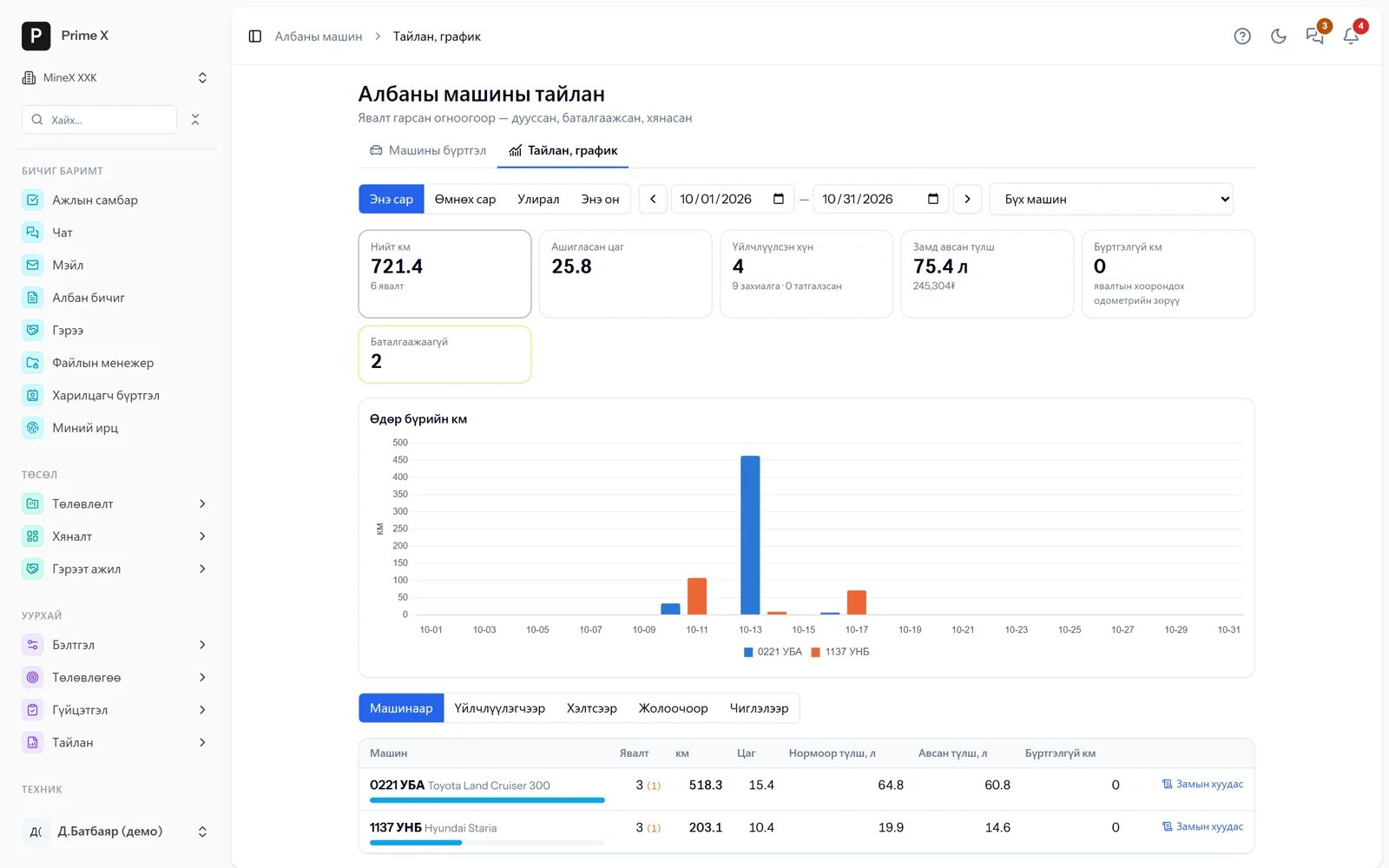
721 km · 6 trips · with signatures

Booking → assign car and driver → departure and return odometer → passenger signature on the phone → waybill, reports. For any organisation’s office; Android and iOS app.

Details →
PrimeX · Work norms — even for routine work without a project
Work norms — even for routine work without a project

Work norms — even for routine work without a project New

Norms · pay · productivity

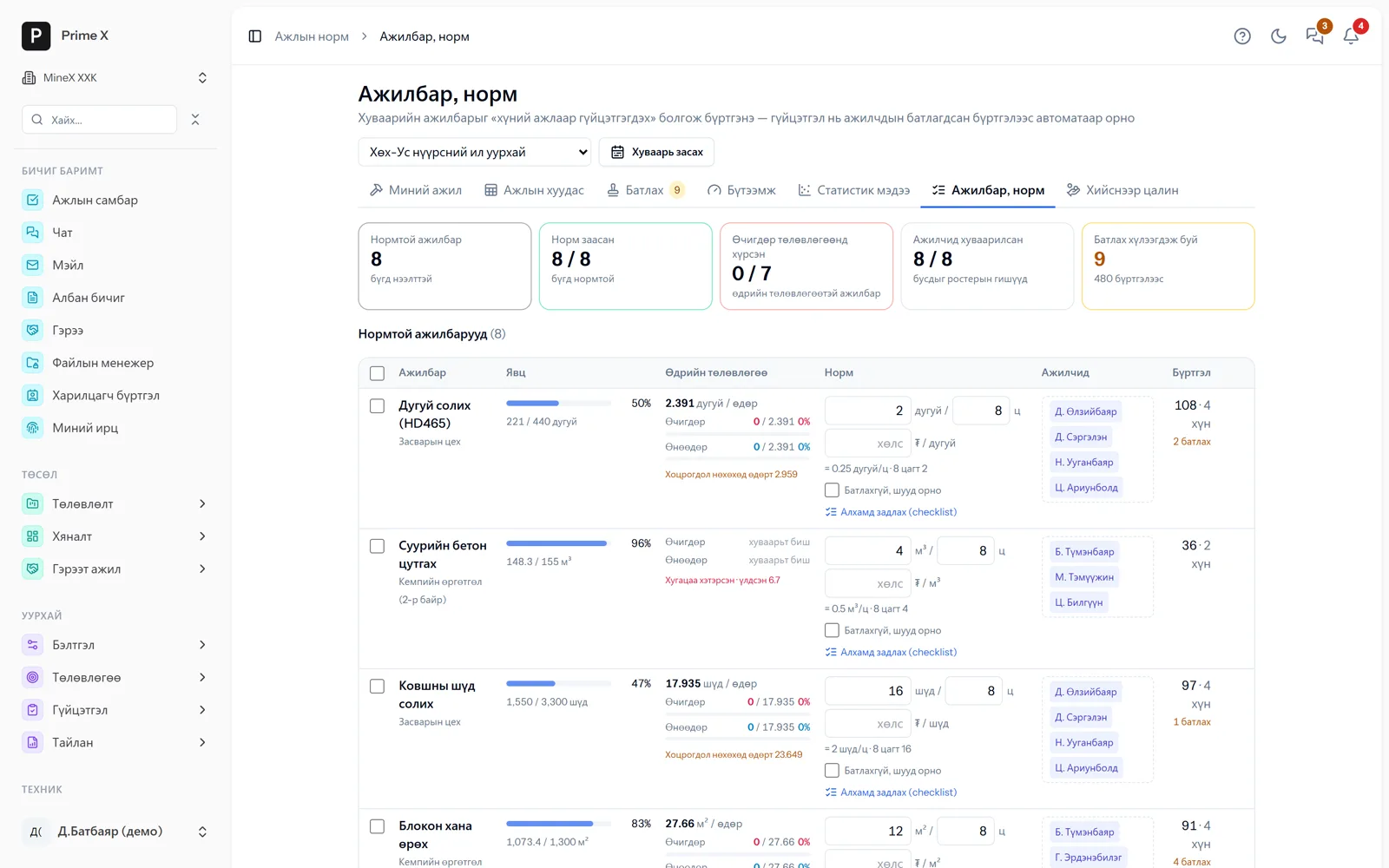
The “Manufacturing” module became “Work norms”: mine workshops, clinics, sewing, services. Monthly quantities by working day, norms, pay and workers repeat automatically.

Details →
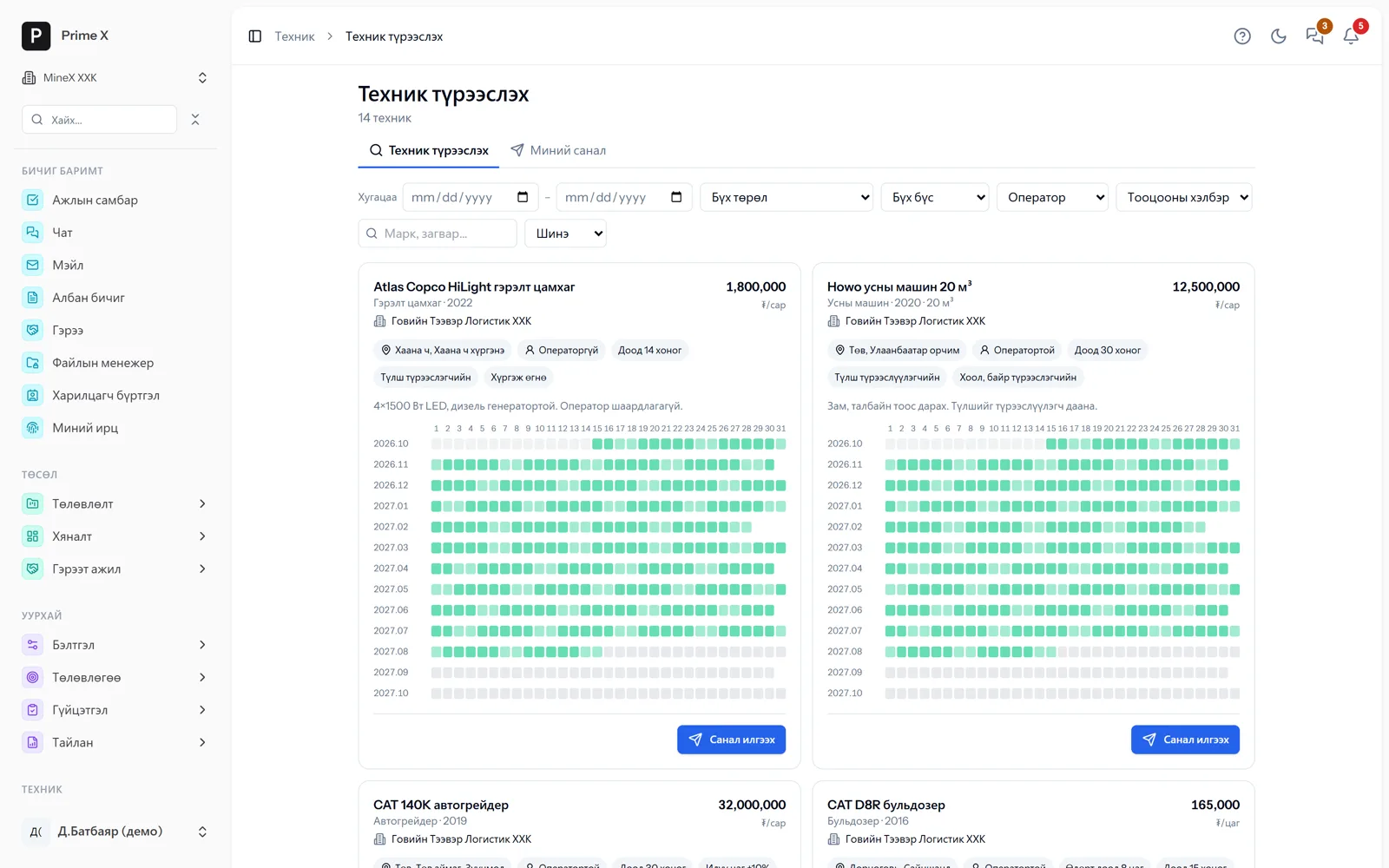
PrimeX · Rental marketplace
Rental marketplace

Rental marketplace New

14 machines · with calendars

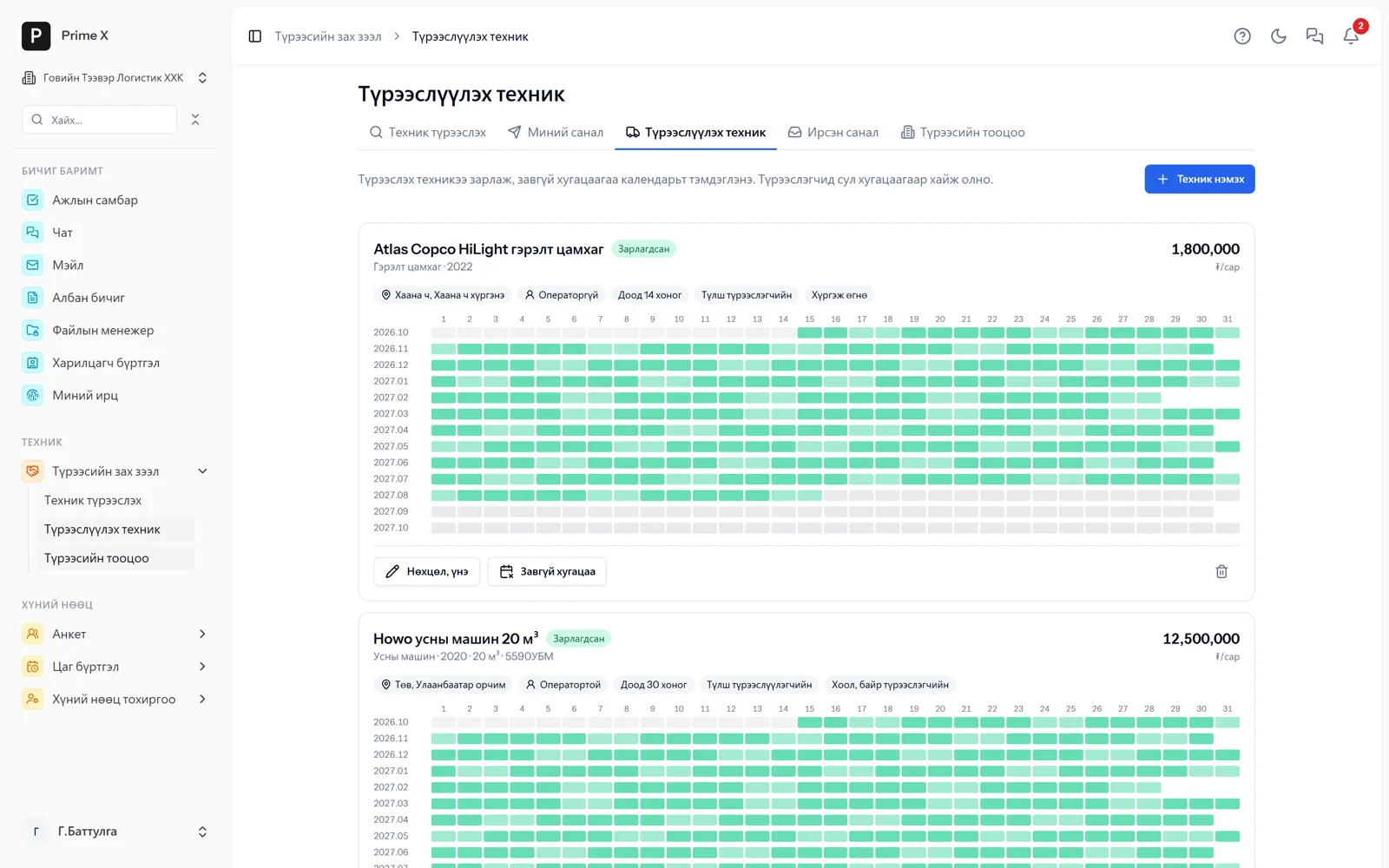
The lessor lists equipment, the mine searches and sends an offer, several companies compete. On agreement the contract, register and daily settlement are automatic. The portal is free — for individuals too.

Details →
PrimeX · Prime — takes action, not only answers
Prime — takes action, not only answers

Prime — takes action, not only answers New

Tasks · meetings · announcements · documents

“Assign the HSE engineer an inspection tomorrow at 10” → draft card → “Create”. Schedule meetings, publish announcements, register letters, contracts and CVs read from a photo. Answers in the language asked.

Details →
PrimeX · Financial health, contracts, cash requirements
Financial health, contracts, cash requirements

Financial health, contracts, cash requirements New

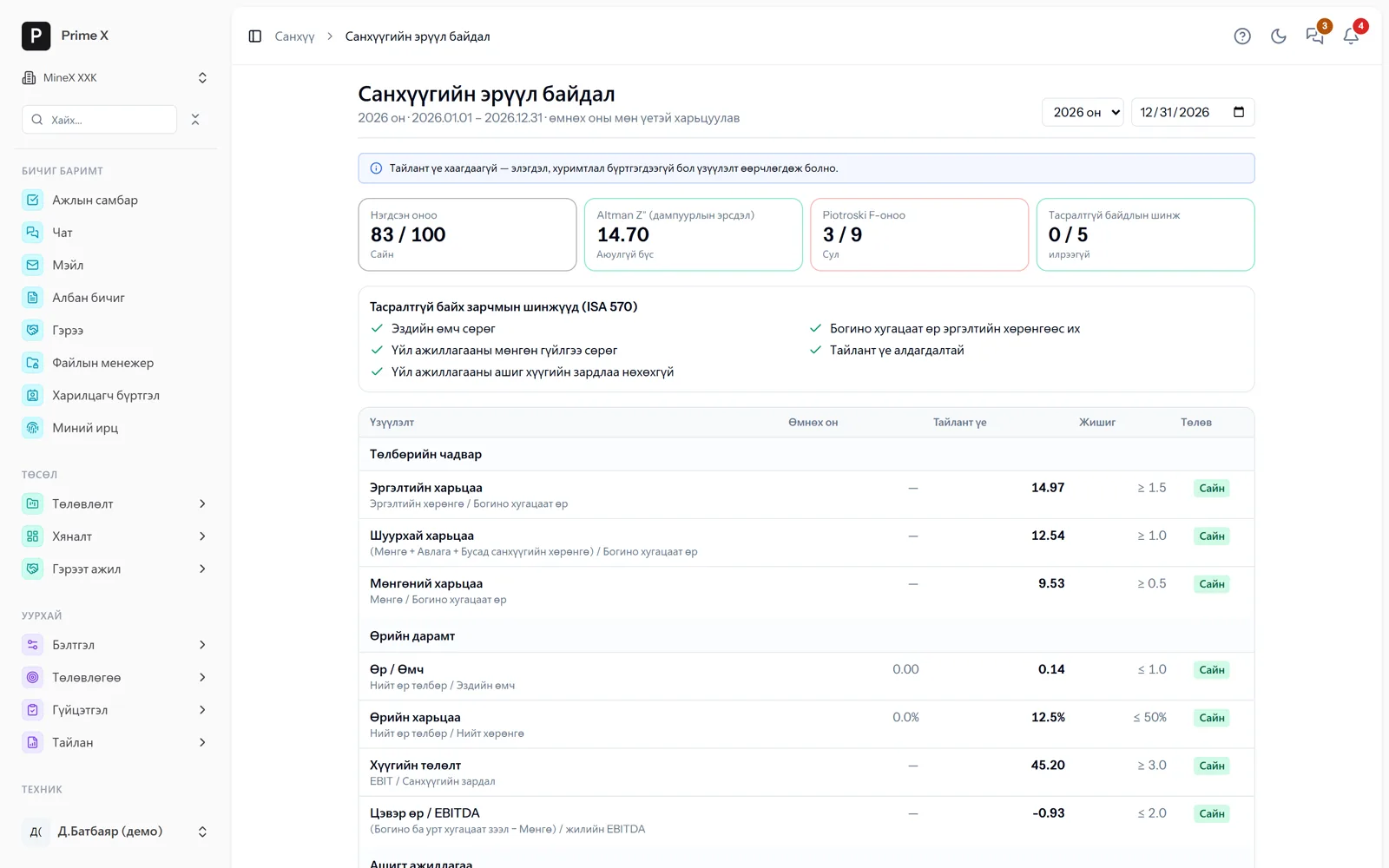
83 / 100 · Altman Z″ 14.7

20 ratios, Altman Z″, Piotroski F, ISA 570 — one score for investors and banks. Contract payment schedules, amendments, IFRS 16 → 13-week cash requirements.

Details →

New: sign up yourself

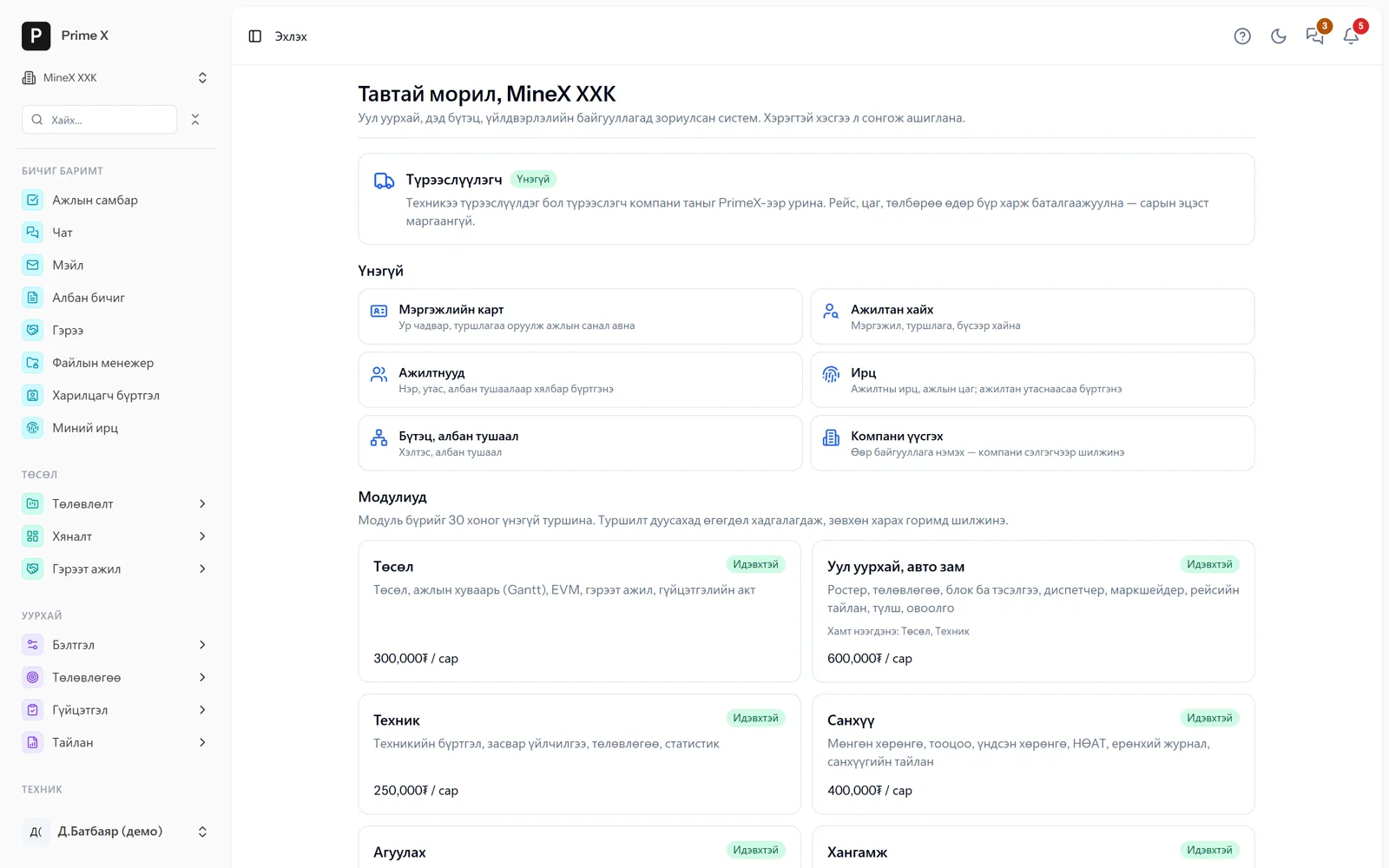
Register as an individual or an organisation and try every module free for 30 days

Confirm your e-mail with a 6-digit code and you are in. Choose the modules you need on the “Start” page and begin the trial — required modules open together and you get the matching permissions. The lessor portal, professional card, employee search, profiles and attendance are free, with no time limit. When the trial ends the data is kept.

PrimeX · Start — try every module for 30 days
Start — try every module for 30 days
Free section and modules — pick and use only what you need · Demo company screen

Монгол · English · 中文 · Русский · 한국어

Investors see it in their own language. The numbers are the same.

In organisations with foreign investment, a head office abroad or foreign staff, people work in different languages. In PrimeX field staff record in Mongolian, and foreign management and investors see the very same data in 中文, English, Русский or 한국어. Every user picks their own language and a company default can be set. Beyond the interface, the tasks, notes and chat that employees write are translated by AI too, so whatever language someone writes in, everyone else reads it in their own. Prime AI answers in the language it is asked in.

PrimeX · Project dashboard · Монгол
Project dashboard · Монгол
Dispatchers, storekeepers, engineers — the field team works in Mongolian. · Demo company screen
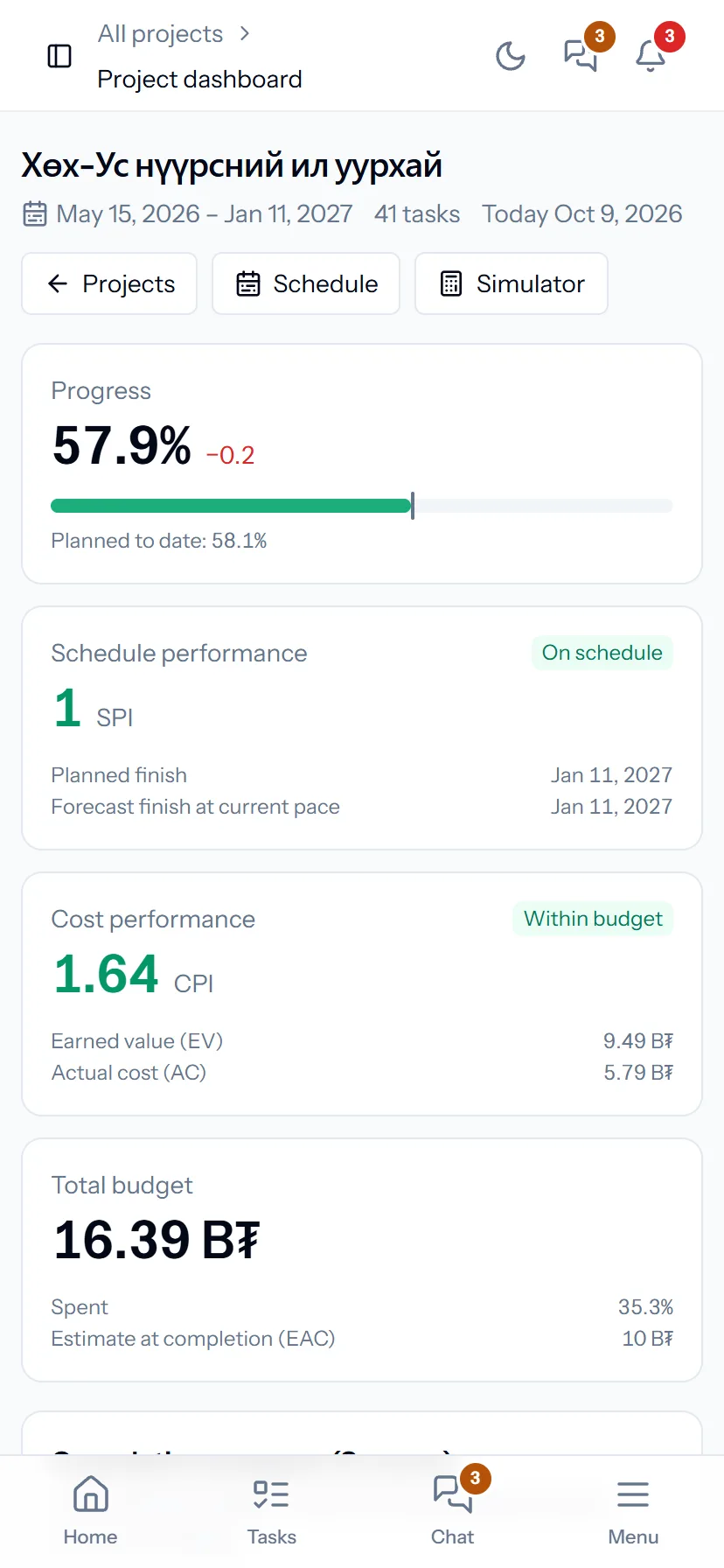
PrimeX · Project dashboard · English
Project dashboard · English
Foreign management, auditors, lending banks — the same dashboard in English. · Demo company screen
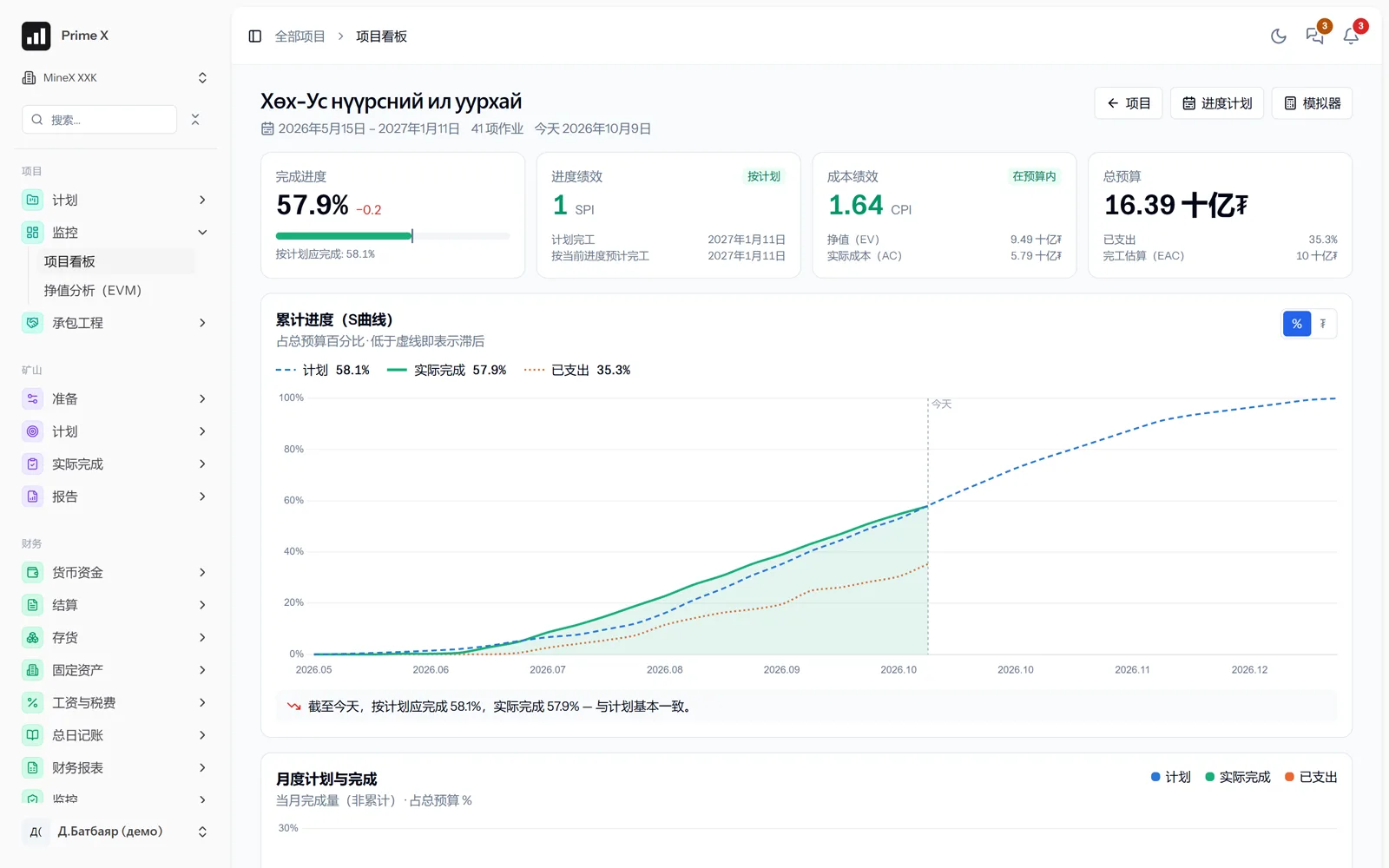
PrimeX · 项目看板 · 中文
项目看板 · 中文
Chinese investors and parent companies — the same dashboard in Chinese. One set of data, the same numbers. · Demo company screen
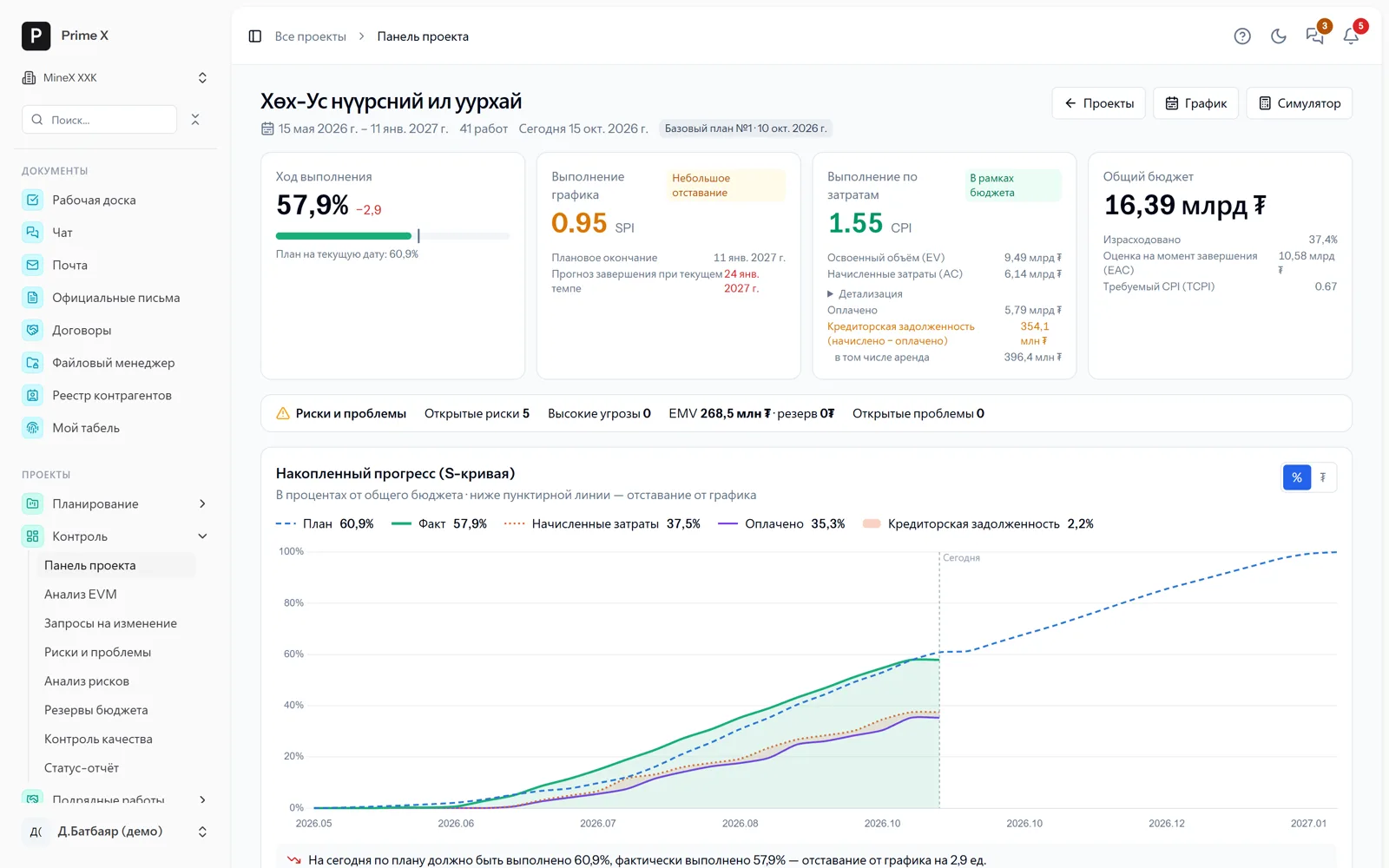
PrimeX · Project dashboard · Русский
Project dashboard · Русский
Russian investors, contractors, equipment suppliers — the same dashboard in Russian. · Demo company screen
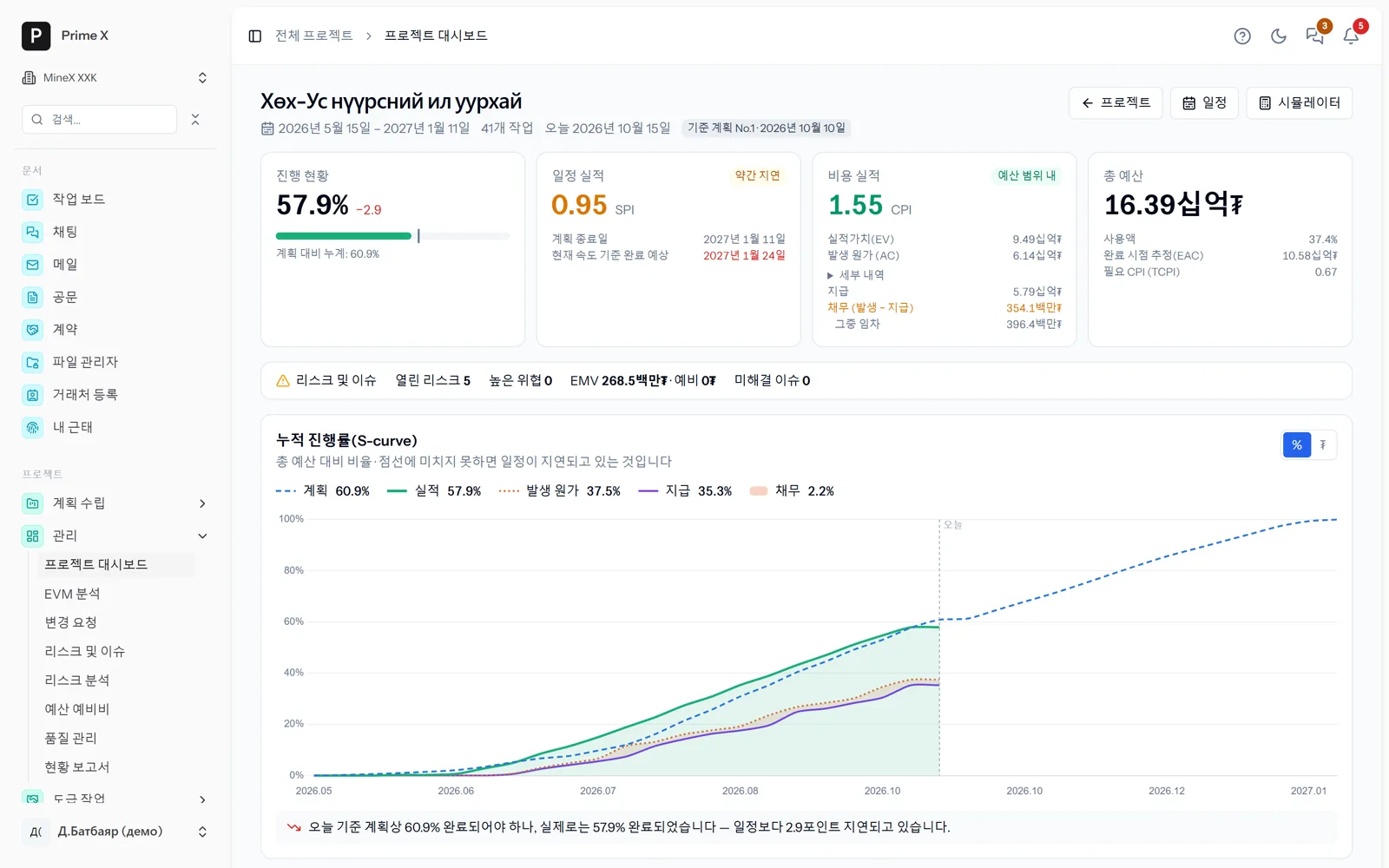
PrimeX · 프로젝트 대시보드 · 한국어
프로젝트 대시보드 · 한국어
Korean investors and parent companies — the same dashboard in Korean. · Demo company screen

Not only the interface — the data too

Whatever language someone writes in, everyone reads in their own

Translating the interface is only the start. The real barrier is in the data people enter: dispatcher notes, incident descriptions, task conversations and contract terms are written in Mongolian, and the Chinese investor, Russian contractor or Korean manager cannot read them. PrimeX translates these too: the employee simply writes in their own language, and the reader reads in theirs. No interpreters, no double entry, no Excel copies.

A “Translate” button — next to every text

Tasks, notes, comments, chat messages, idle-time reasons — every text written in a language other than the interface language gets a “Translate” button next to it. One tap translates it in place, and you can switch back to the “Original” whenever you like.

Translated once, used by everyone

AI translates a given text into a given language only once; the next person sees the ready translation straight away. When you reopen a text you translated before, it appears translated at once — no need to tap again.

Select to translate

Table names, headings, report rows — select any text and a “Translate” button appears. The translation replaces the text in place and stays there the next time you open the page.

Reference data in five languages

Reference names such as accounts and inventory categories are stored in Mongolian, English, Chinese, Russian and Korean — open the financial statements in Chinese and the account names are in Chinese too.

Privacy intact

The source text that was translated is stored nowhere — only its cryptographic hash. The translation is encrypted with the same key as chat encryption, so chat privacy is not bypassed by translation.

Prime AI and help — in the language asked

Ask Prime in Chinese and it answers in Chinese, with the numbers from the records. The “?” guide on every page is in five languages.

The language is recognised from the script: Cyrillic, Chinese characters, Hangul, Latin. Text without letters, such as numbers and codes, gets no button.

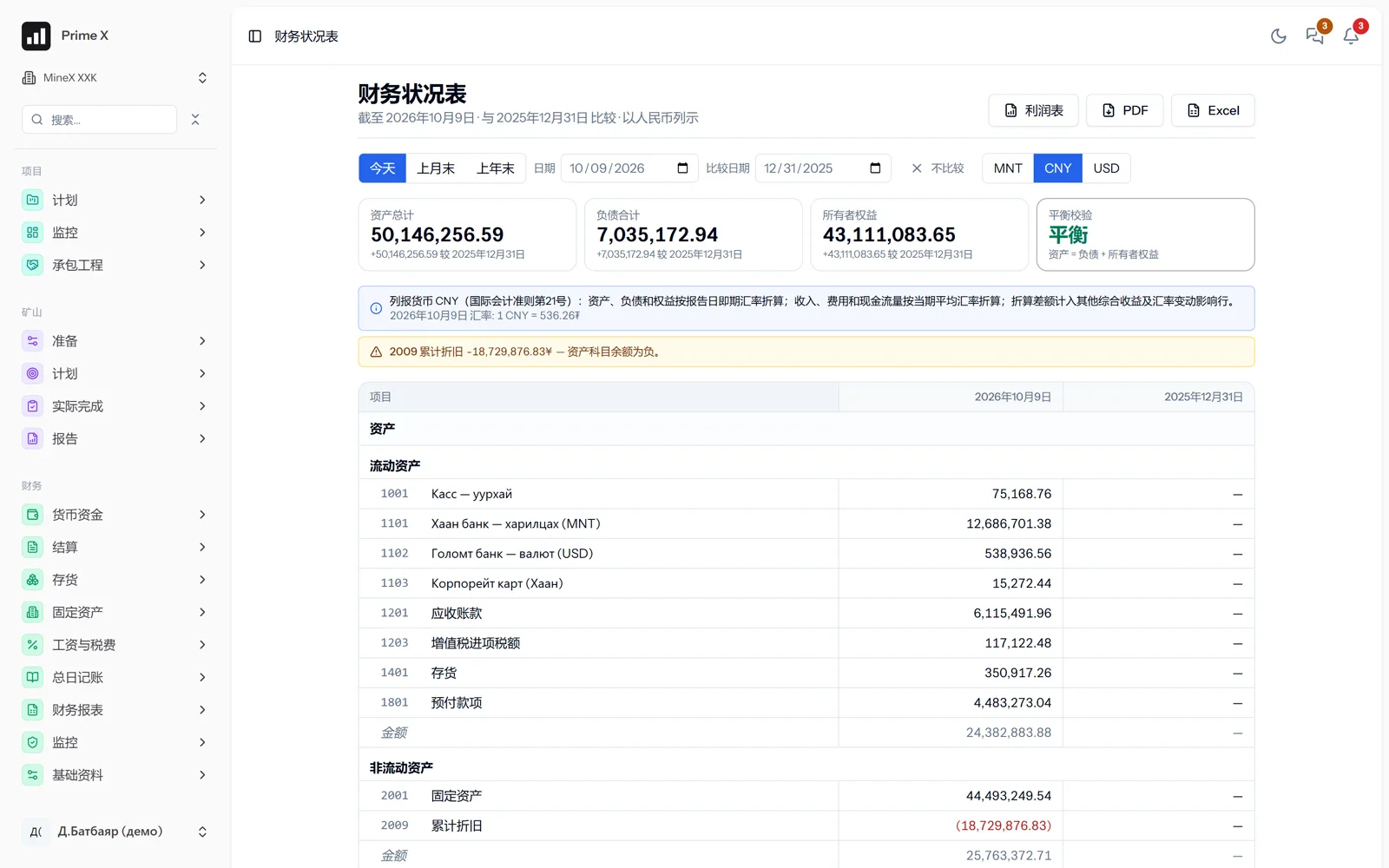
PrimeX · 财务状况表 · CNY
Statement of financial position in Chinese, in yuan

Reports in yuan and dollars

Financial statements in MNT / CNY / USD — with one button. Assets and liabilities at the closing rate, income and expenses at the average rate (IAS 21). PDF, Excel.

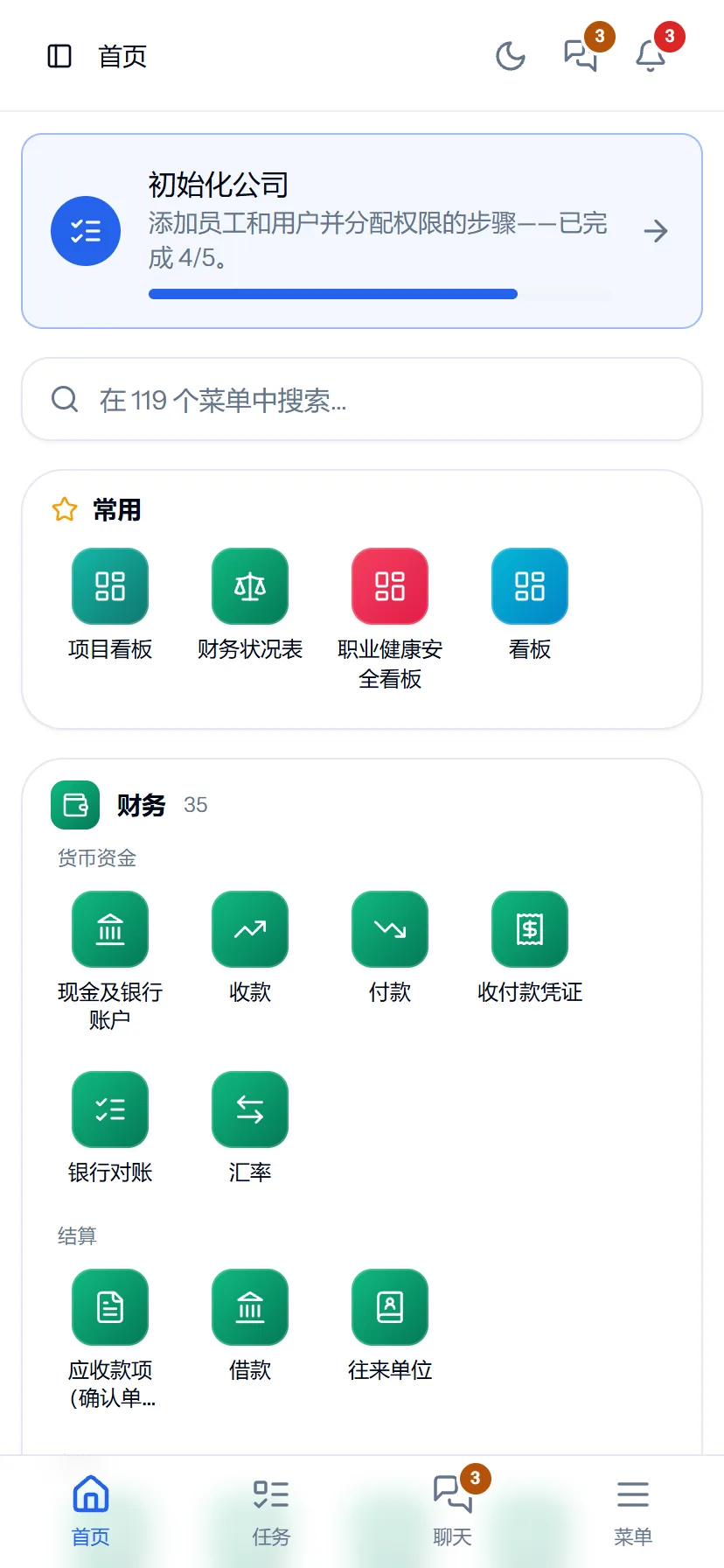
首页 · 中文
首页 · 中文
Dashboard · English
Dashboard · English

Three languages on the phone too

Open it on your phone from Beijing or Shanghai and see today’s trips, cash and incident reports in your own language. No app to install.

How it works

  • Every user their own language. Pick your language with one login — it does not affect anyone else.
  • Company default language. Every employee who has not chosen a language gets the one the company set.
  • Entered data is translated too. Tasks, notes and chat with a “Translate” button; accounts, categories and other reference data in 5 languages.
  • Prime AI in the language asked. Ask in English, get English; ask in Chinese, get Chinese — the numbers come from the records.
  • One set of data. Switching language changes no numbers, documents or permissions — only the screen.
Request a walkthrough

Choosing modules

Not a single-industry program. Take only the modules you need.

You don’t have to take PrimeX as a whole. Start with the digital office and add factory, clinic and field modules as you need them: only HSE, only office administration and chat, work norms and payroll — choose by your sector and size. When you add a module later, data, users and permissions stay as they are.

HSE only

Mines, construction, factories — the HSE department

2 modules
HSE Chat

Risks, inspections, permits, incidents, training, PPE, monthly report. Every employee by phone.

Office

Any organisation

5 modules
Documents Chat Human resources Company cars Prime AI

Correspondence, orders, contracts, collaboration board, chat, profiles, GPS attendance, company cars, Prime AI.

Factories, clinics, services

Sewing, assembly, workshops, clinics

4 modules
Work norms Human resources Finance Procurement

Norms, daily records (“Routine work” — no project), productivity, pay, payroll, warehouse — without the mining modules.

Procurement & warehouse

Companies with purchasing and a warehouse

2 modules
Procurement Finance

Requests, approval, quotations, orders, freight, receiving and reconciliation, FIFO.

Projects and contractors

Infrastructure, construction, roads

4 modules
Projects Operations Equipment Finance

Gantt, EVM, contracts, acts, trips, equipment — one set of numbers with the contractor.

Lessors — free

Companies and individuals that rent out equipment

2 modules
Rental marketplace Chat

List your equipment, choose among offers, approve daily settlements from your phone. No module required.

The whole mine

Mining companies

11 modules
Prime AI Projects Operations Equipment HSE Environment Procurement Human resources Finance Documents Chat

Every section on one set of data. Investors see it in their own language.

Example bundles. Any module on its own, in any combination — we define it together at the walkthrough.

One entry — every report

Scroll down to see how one record becomes a report

Loading at the pit

EX-01 · Excavator

Loading

Block 1-03 · 06:42:18

Shift

Day · 07:00–19:00

Loading point

Block 1-03

Trips (today)

0

HT-01 · Truck

Trip recorded

Block 1-03 → Dump 2 · 55 t
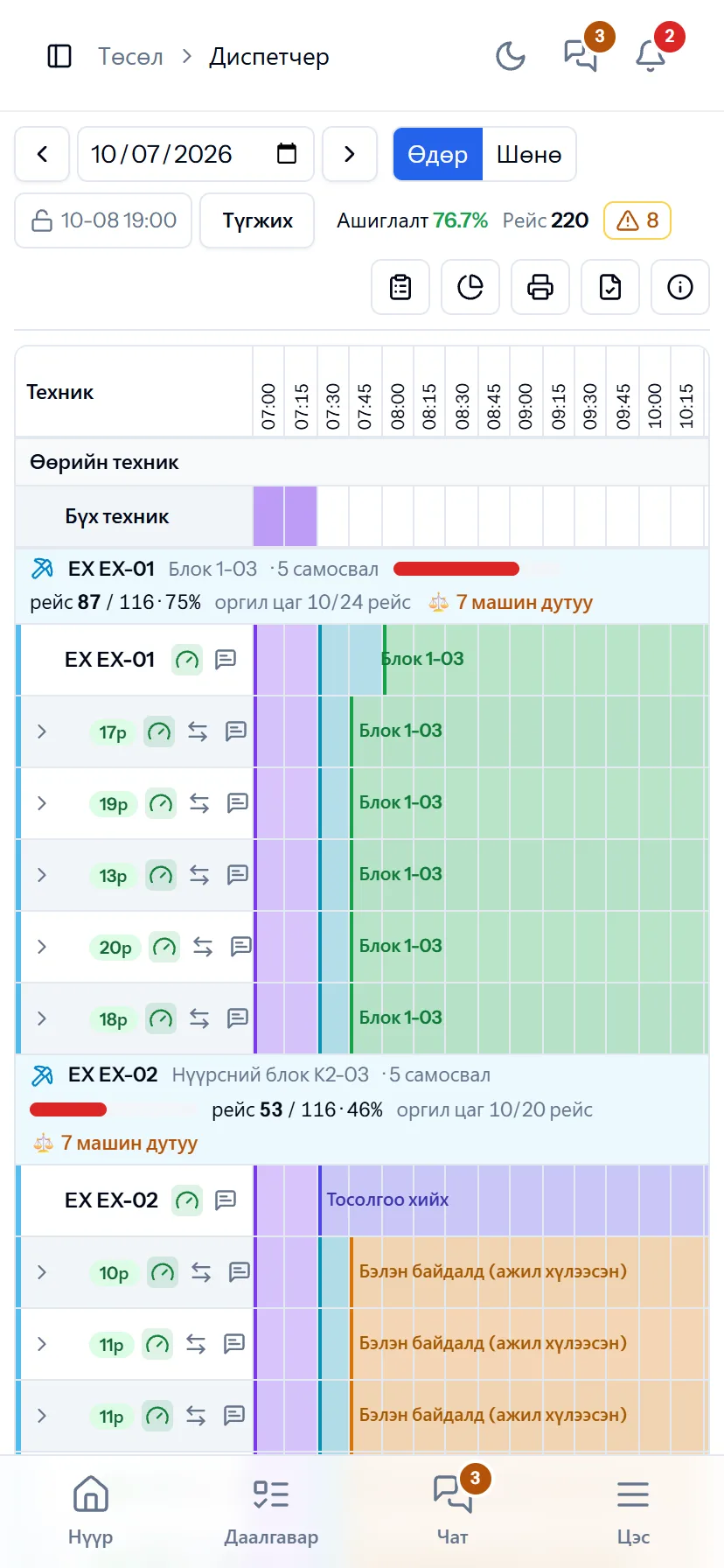
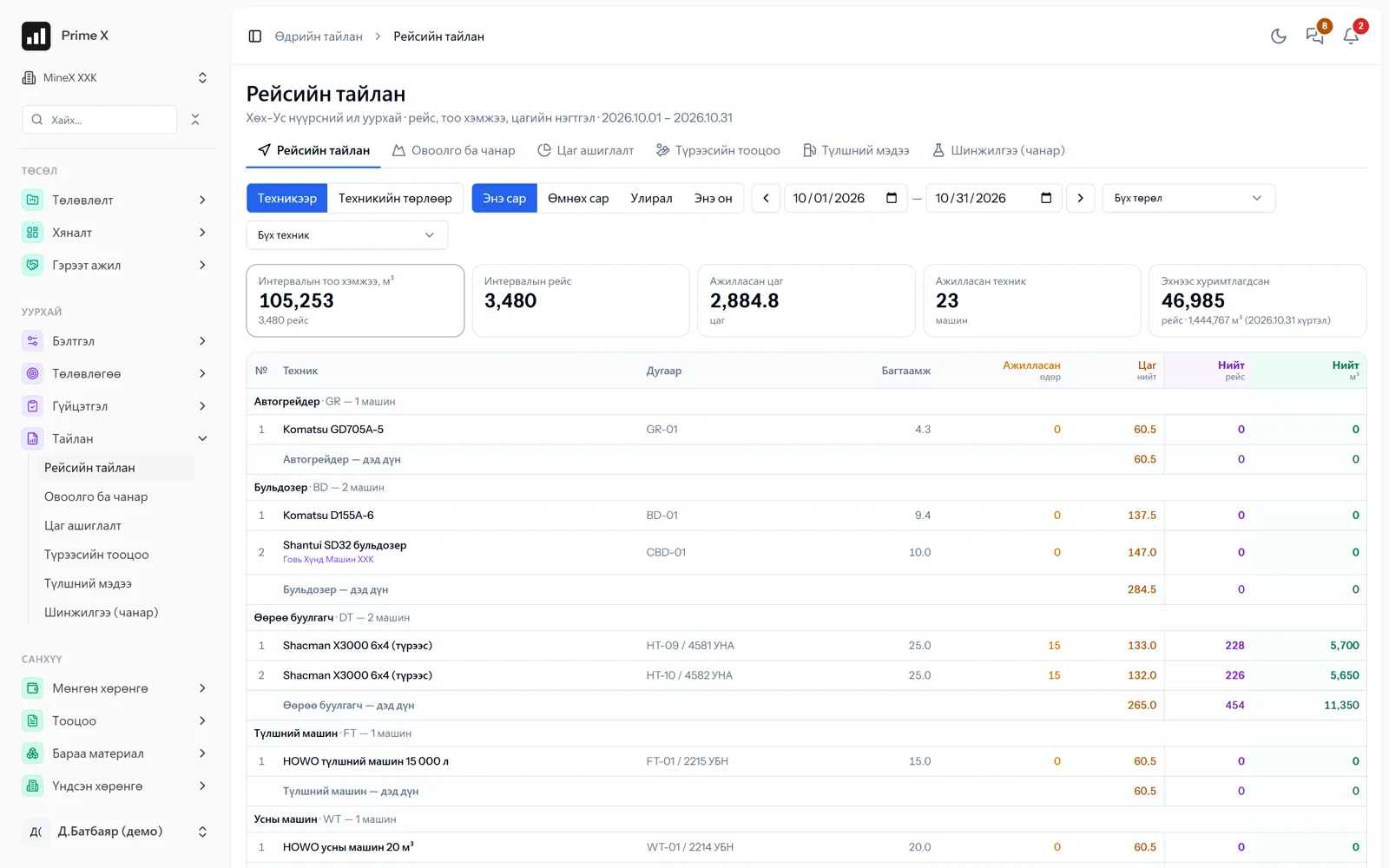
PrimeX dispatcher on a phone
PrimeX dispatcher — shift timeline

Utilisation · Trips

76.7% · 220

Shift progress in real time
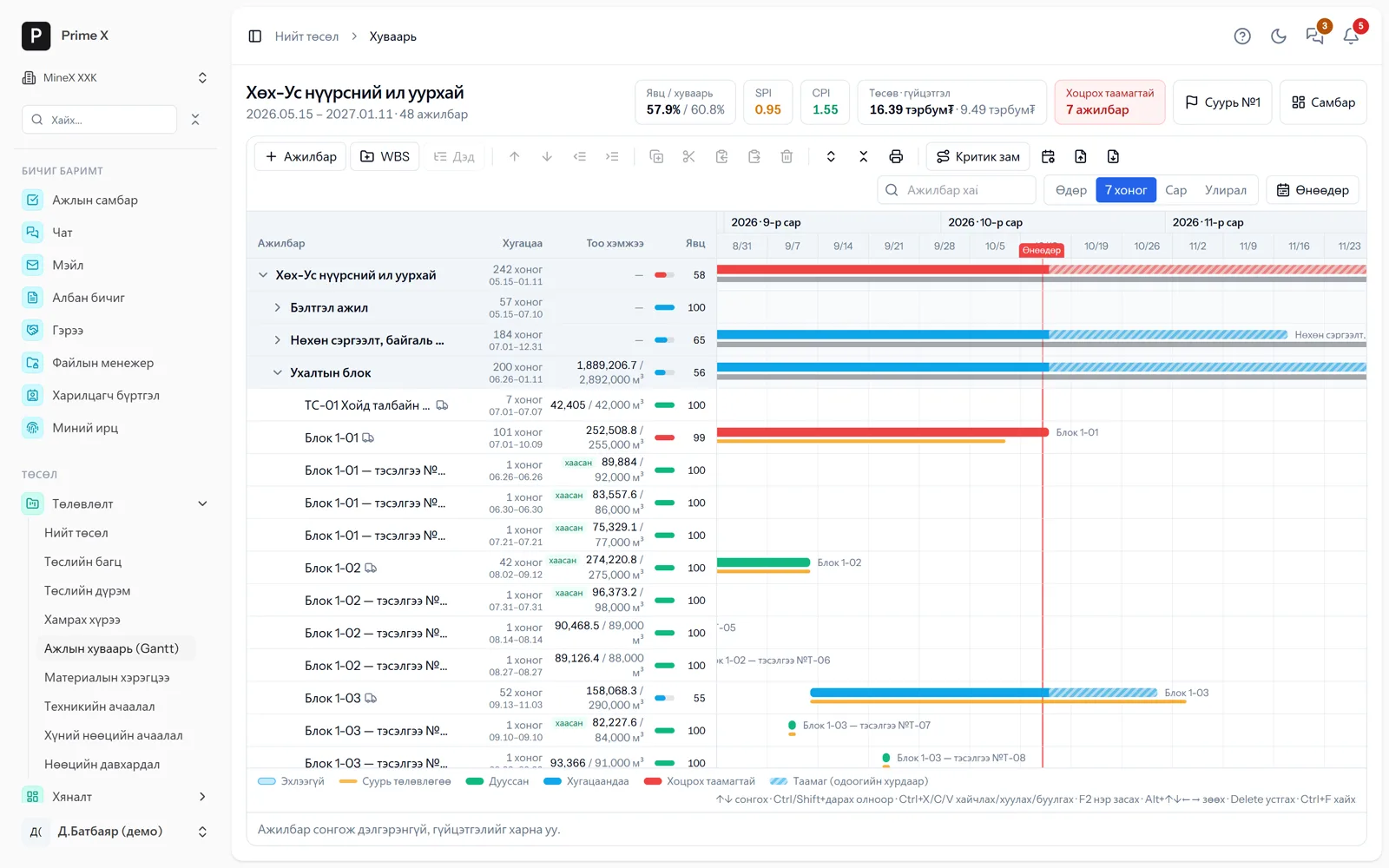
PrimeX work schedule (Gantt)

Progress / schedule

57.9% / 57.3%

SPI 1.01 · CPI 1.64
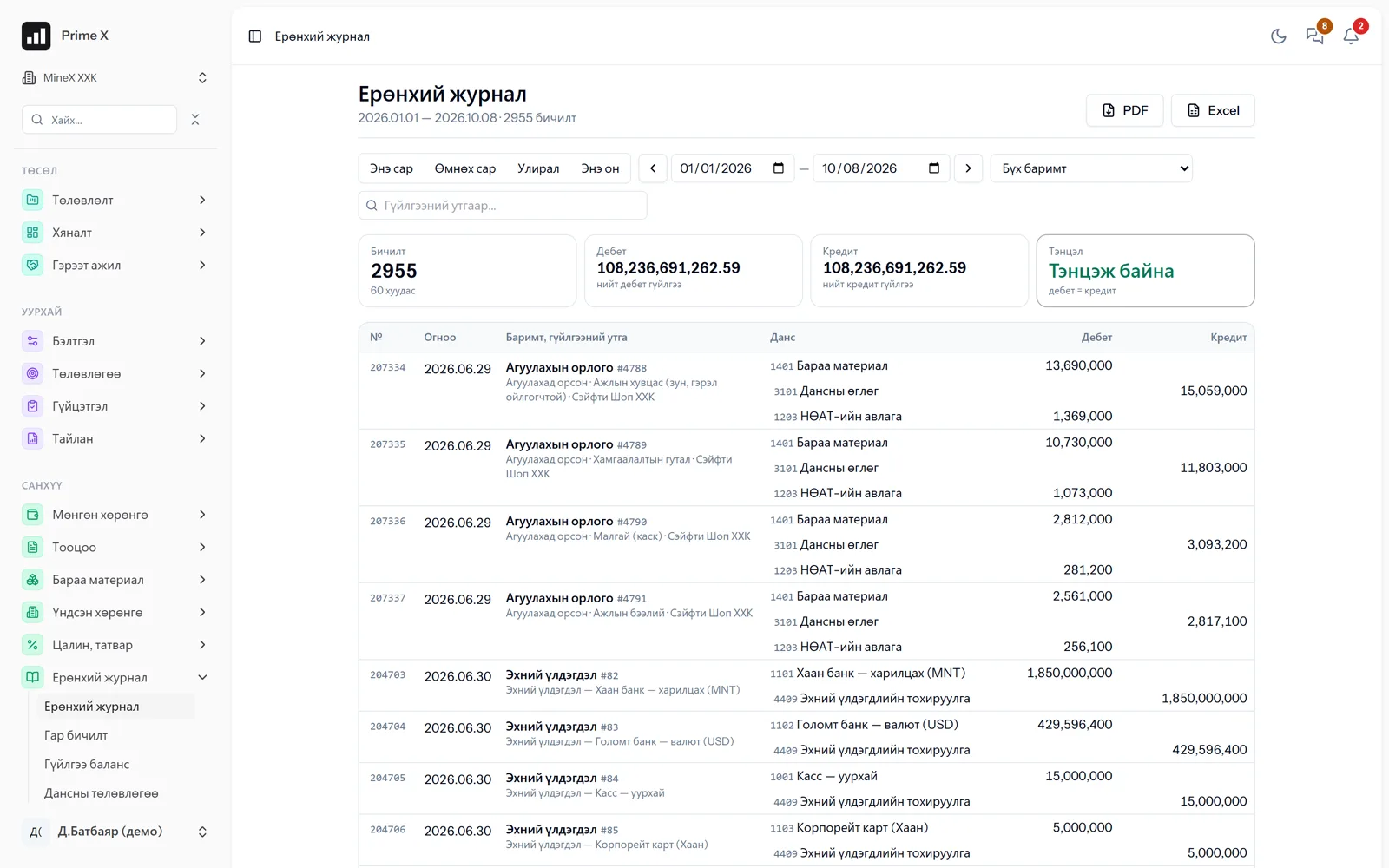
PrimeX general ledger — automatic entries

General ledger

2,955 entries

not manual — from operations

Act → Invoice → Ledger

ACT-2026-10-03 approved
INV-0912 sent
1210 Receivables Dr 52,460,000
5110 Revenue Cr 47,690,909
3330 VAT Cr 4,769,091

Real demo company screen · sample data

  1. 01 Step 1 / 5

    Loading at the pit

    The excavator loads the truck. The driver writes nothing — the dispatcher drags each machine’s location and status on one table.

    • Every time the excavator loads, the operator taps one button on the phone
    • Truck, route and material match automatically
    • No paper waybills, no Excel typing
    one load
    55 t
    loading time
    2:40
    haul distance
    1.8 km

    Next → The trip is recorded in the dispatcher

  2. 02 Step 2 / 5

    The trip is recorded in the dispatcher

    Machine, route, material, time — every trip is recorded on the dispatcher board instantly. The same table from the field on a phone. No paper waybills, no Excel typing.

    • The trip is recorded on the dispatcher board instantly
    • Exactly the same table from the field on a phone
    • Machine, driver, time — all in one record
    trips per shift
    220
    utilisation
    76.7%
    alerts
    8

    Next → The dispatcher timeline is drawn

  3. 03 Step 3 / 5

    The dispatcher timeline is drawn

    Every machine’s work, standby and repair are drawn in colour on the shift timeline. Utilisation, trips and alerts in real time.

    • Every machine’s status in colour on the timeline
    • Alerts for machines standing too long on standby
    • Engine hours, fuel and productive hours automatically
    resolution
    15 min
    status in colour
    11
    standby reminder
    2 h+

    Next → The work schedule fills with performance

  4. 04 Step 4 / 5

    The work schedule fills with performance

    Trip counts become block and activity performance, and the project schedule shows plan and actual side by side. The system itself predicts which activities will slip.

    • Trips become block performance and go into the schedule
    • Plan (grey) and actual (blue) side by side
    • The system itself predicts which activities will slip
    performance
    57.9%
    schedule performance
    SPI 1.01
    predicted to slip
    6

    Next → Dashboard, acts and ledger are created automatically

  5. 05 Step 5 / 5

    Dashboard, acts and ledger are created automatically

    Performance progress, SPI, CPI and S-curve on the dashboard. Invoice from the act, ledger entry from the invoice. Record once, every report automatic.

    • Dashboard: progress, S-curve, CPI/SPI in real time
    • Invoice from the act, ledger entry from the invoice
    • Record once, every report automatic
    within budget
    CPI 1.64
    total budget
    16.39 billion
    ledger balanced
    Dr = Cr
    Try the dispatcher →

Try it yourself

Drive the dispatcher screen yourself

A working copy of PrimeX’s dispatcher screen. Under every excavator are the trucks assigned to it, on a 15-minute time grid. Select a time range on a machine’s row and set a status, and trips, utilisation and alerts change immediately.

  1. 1

    Select a time range

    Press the mouse (your finger on a phone) on a truck’s row and drag to select a time range.

  2. 2

    Choose a status

    Pick a status such as “Productive work” or “Repair” from the menu that appears.

  3. 3

    See the result

    Trips, utilisation, productive hours, fuel and alerts change. Closing the shift creates the act and ledger entries.

PrimeX · Projects › Dispatcher · MineX LLC

Dispatcher

10 / 06 / 2026
Utilisation 64.1% Trips 210
Productive work Standby Blasting Refuelling No operator Planned repair Unplanned repair Weather delay Shift change Relocation time Meal break (reminder)

✓ Trips — operator from the phone · Drag on a row (on a phone: tap the start and end cells) to select a time range, then choose a status.

Scroll the table sideways to see all hours →

Action history

  • Setting a status by dragging on a row is written here.

Entries created in finance

  • Closing the shift creates the act, invoice and ledger entries.

At the end of the shift the dispatcher presses just one button. The trip report, contractor act, invoice and general ledger entries are created automatically.

Sample data · only inside your browser.

Collaboration

Three parties on one project — no mismatched numbers

The licence holder, the management company and the contractor each have their own space. On the joint project only the shared data is visible, and survey measurements, trips and acts rest on one set of numbers.

Licence holder

Measurements, stockpiles, quality

Management

Plans, act approval, finance

Contractor

Roster, trips, sending acts

Who sees what? →

Finance

Financial records an accountant can trust

Every transaction of the operational modules is recorded in the general ledger as a double entry automatically. No manual ledgers, no retyping into a separate program. Financial statements come out in the Ministry of Finance formats.

General ledger
Chart of accounts, manual entries, trial balance, period closing.
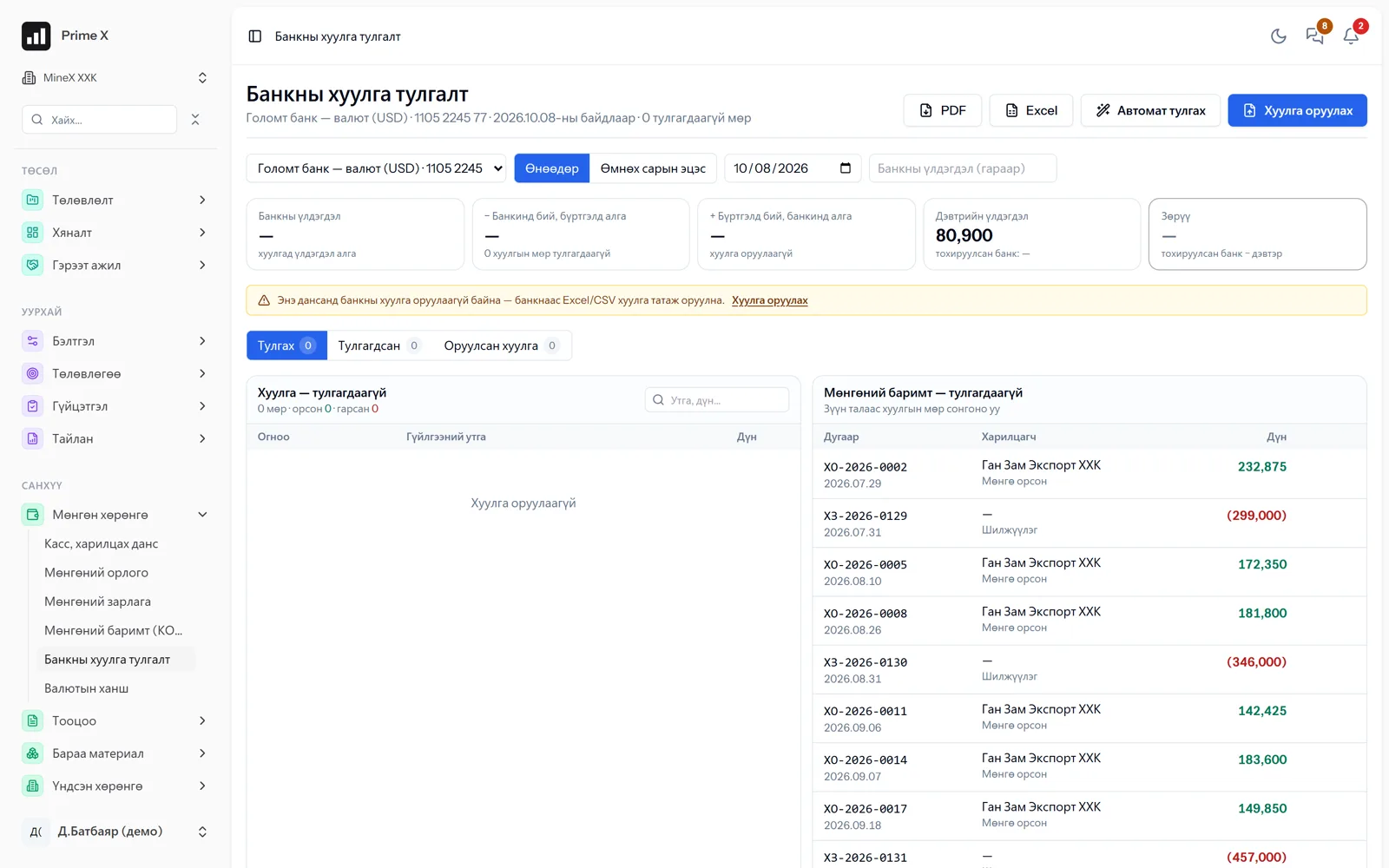
Bank statement reconciliation
Import the statement and match receipts and payments cash to cash.
Inventory
Receipts, issues, internal transfers, acts, FIFO valuation, opening balances.
Fixed assets, VAT
Asset register, depreciation, VAT return.
Receivables, loans
Receivables from acts and invoices. Loan agreements, schedules, interest.
Control
Adjusting entries only by authorised people. Change history, deleted documents.
See the finance section →
PrimeX · Bank statement reconciliation
PrimeX bank statement reconciliation

Automatic

same amount, documents within ±5 days

2 955

ledger entry · automatic

MoF format

Ministry of Finance report formats

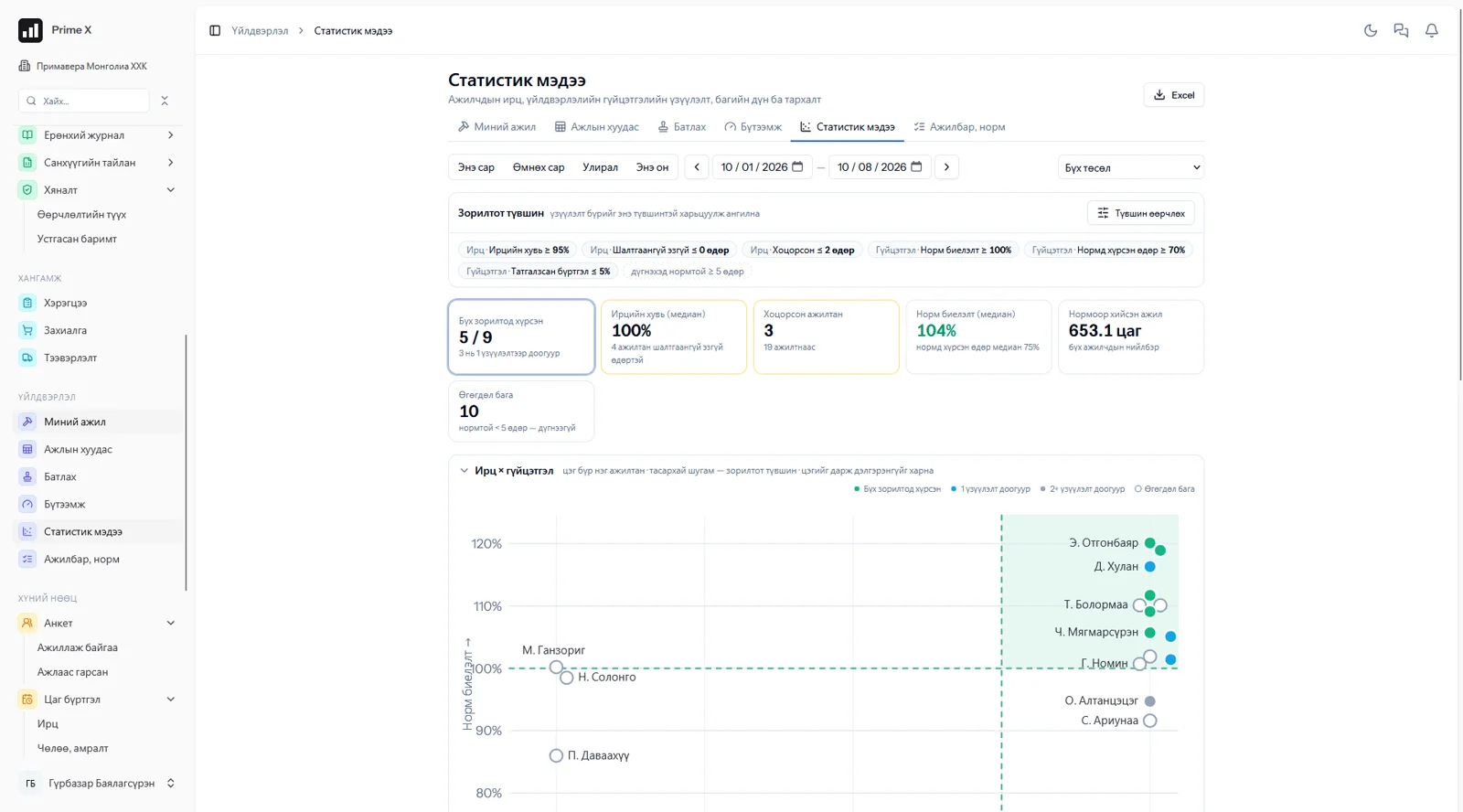
PrimeX · Work norms · Statistics report
Work norms · Statistics report
Sewing factory: every employee is one point on the attendance × performance chart. Green — all targets met.

Attendance and performance statistics

Who met the targets is shown in numbers

Attendance rate, lateness, unexcused absences, norm fulfilment, share of days at norm — every employee’s indicators are compared with the company’s target levels. Productivity only from approved work, hours worked from attendance. Management decides by numbers whom to talk to and whom to reward.

≥ 95%
attendance rate — target
≥ 100%
norm fulfilment — target
Excel
export with one button
See the work norms and productivity section →

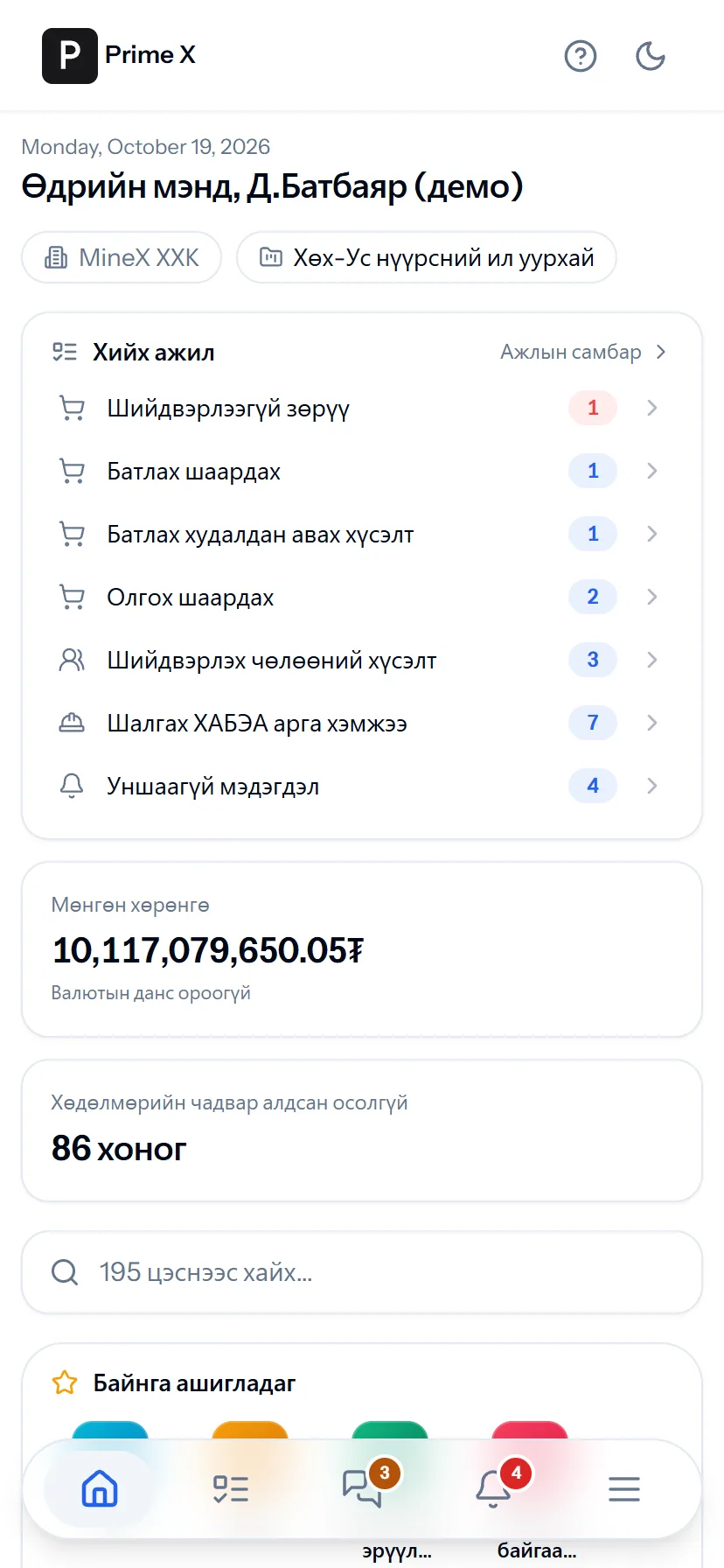
Great on the phone too

There is no computer in the field. There is a phone.

Attendance, trips, requests, hazard reporting, work permits, chat, Prime — every employee’s daily work is designed for a phone screen. One tap from the bottom menu; no app to install; Web Push notifications arrive even when the app is closed.

Home
Home
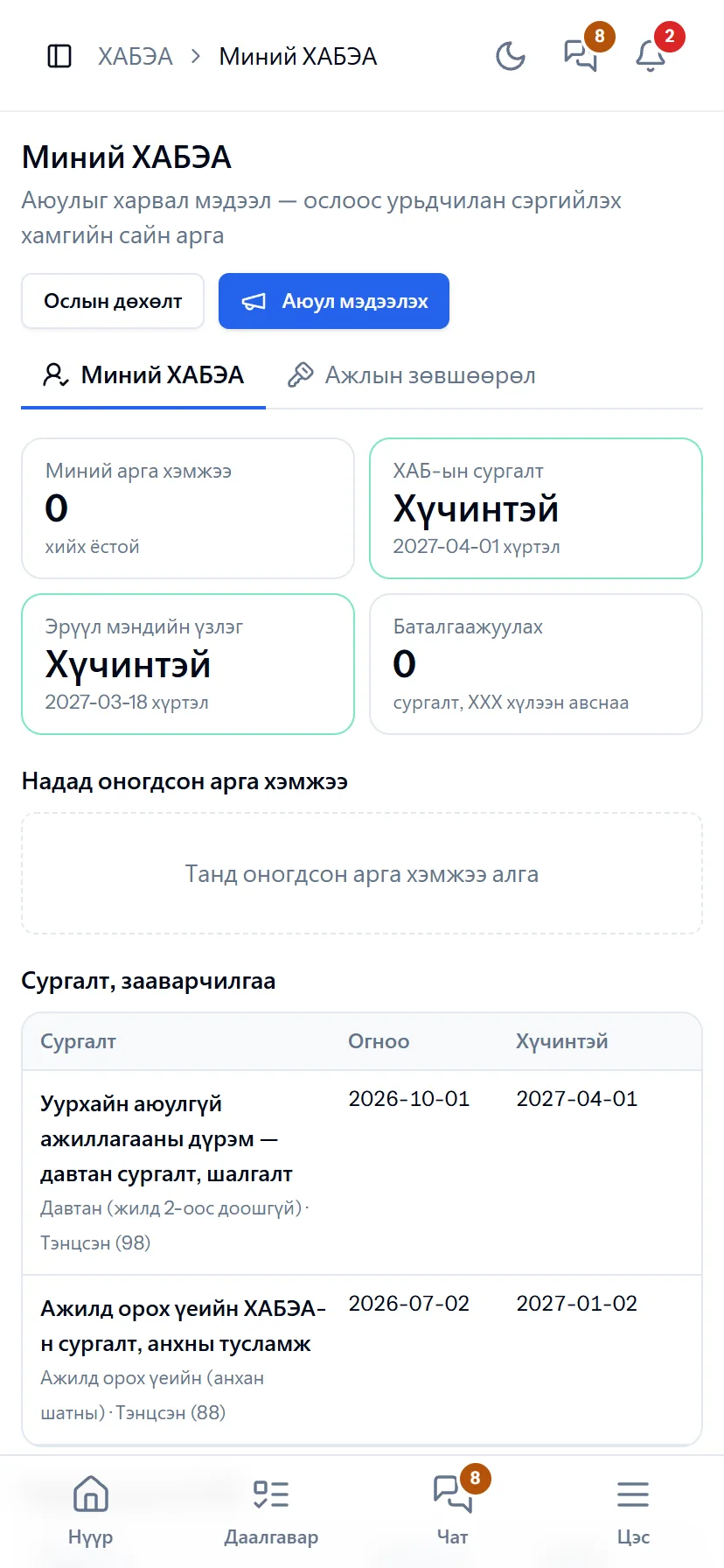
My HSE
My HSE
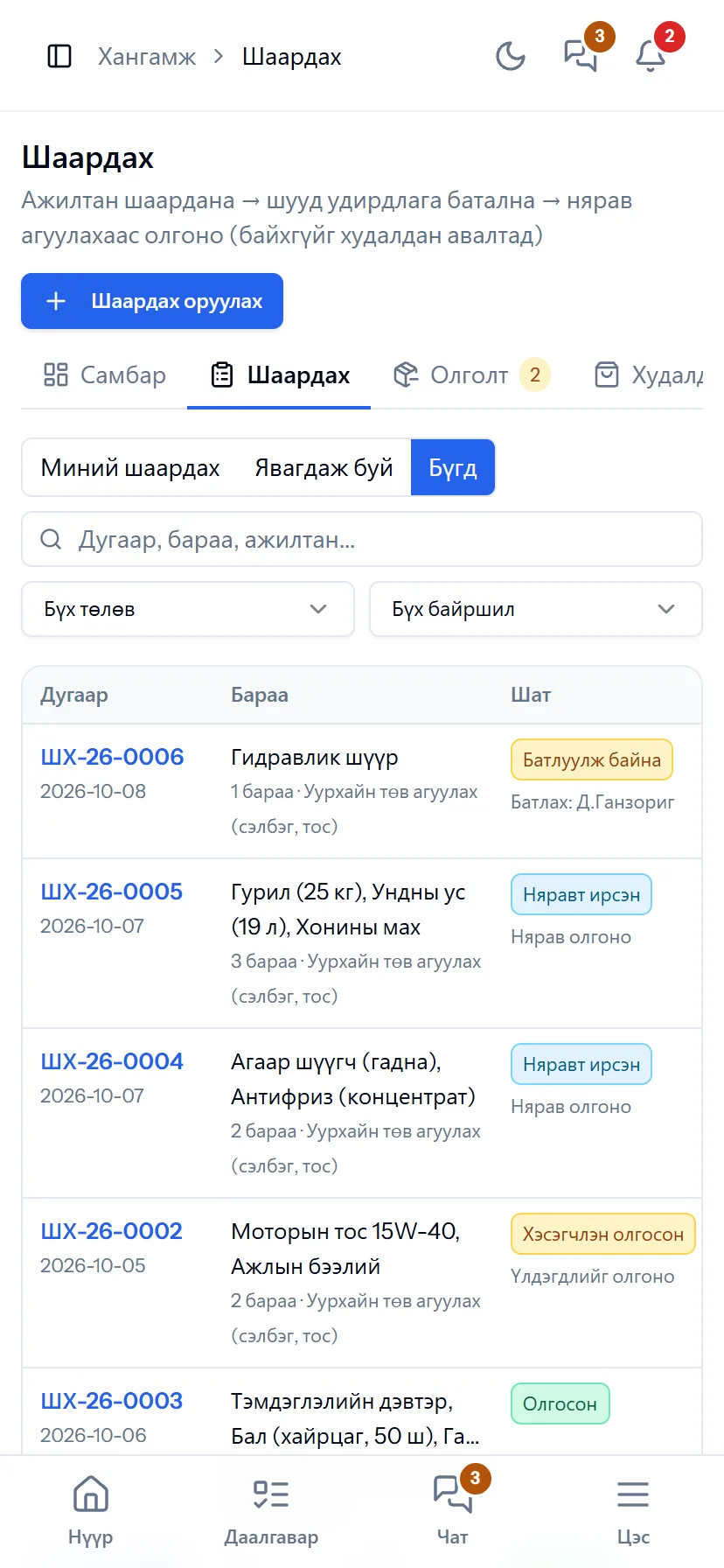
Request
Request
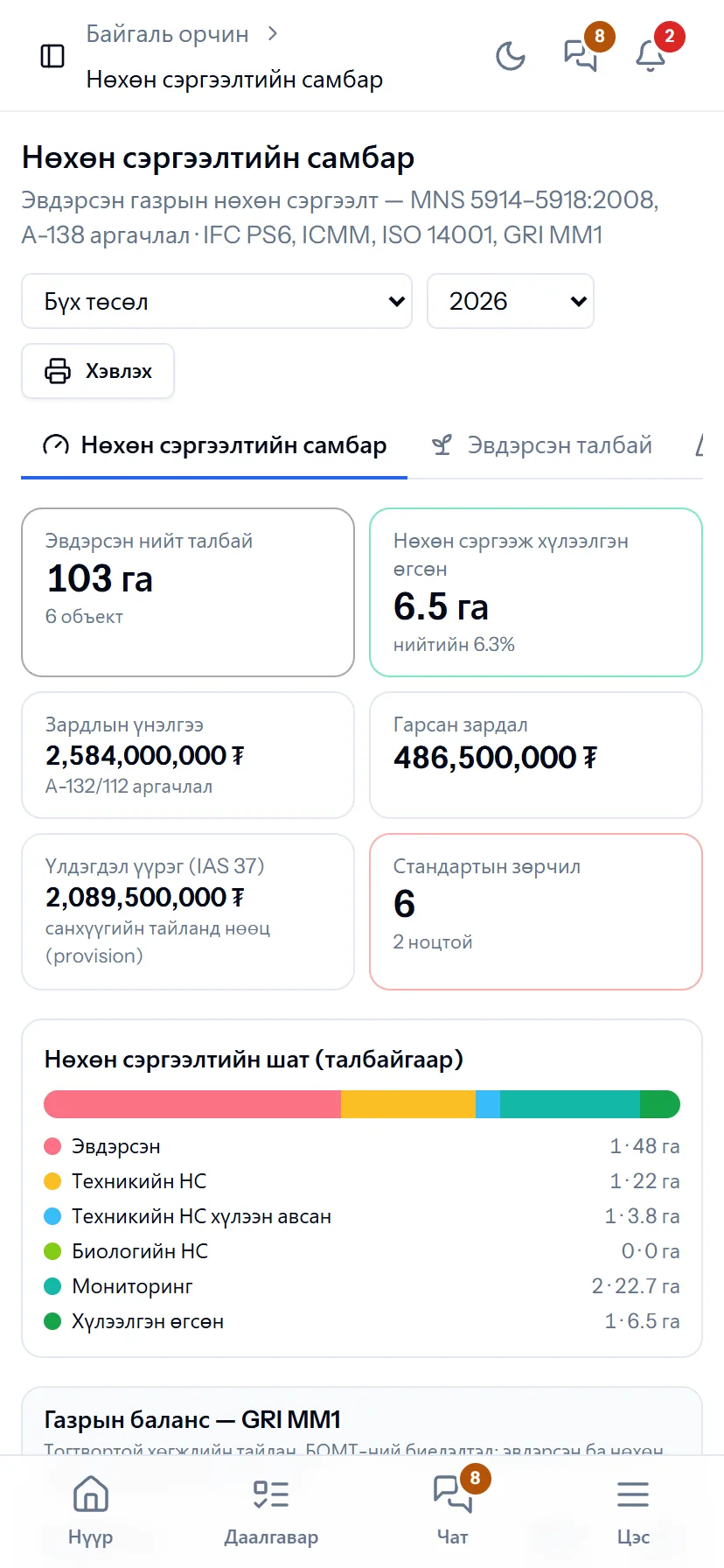
Rehabilitation
Rehabilitation
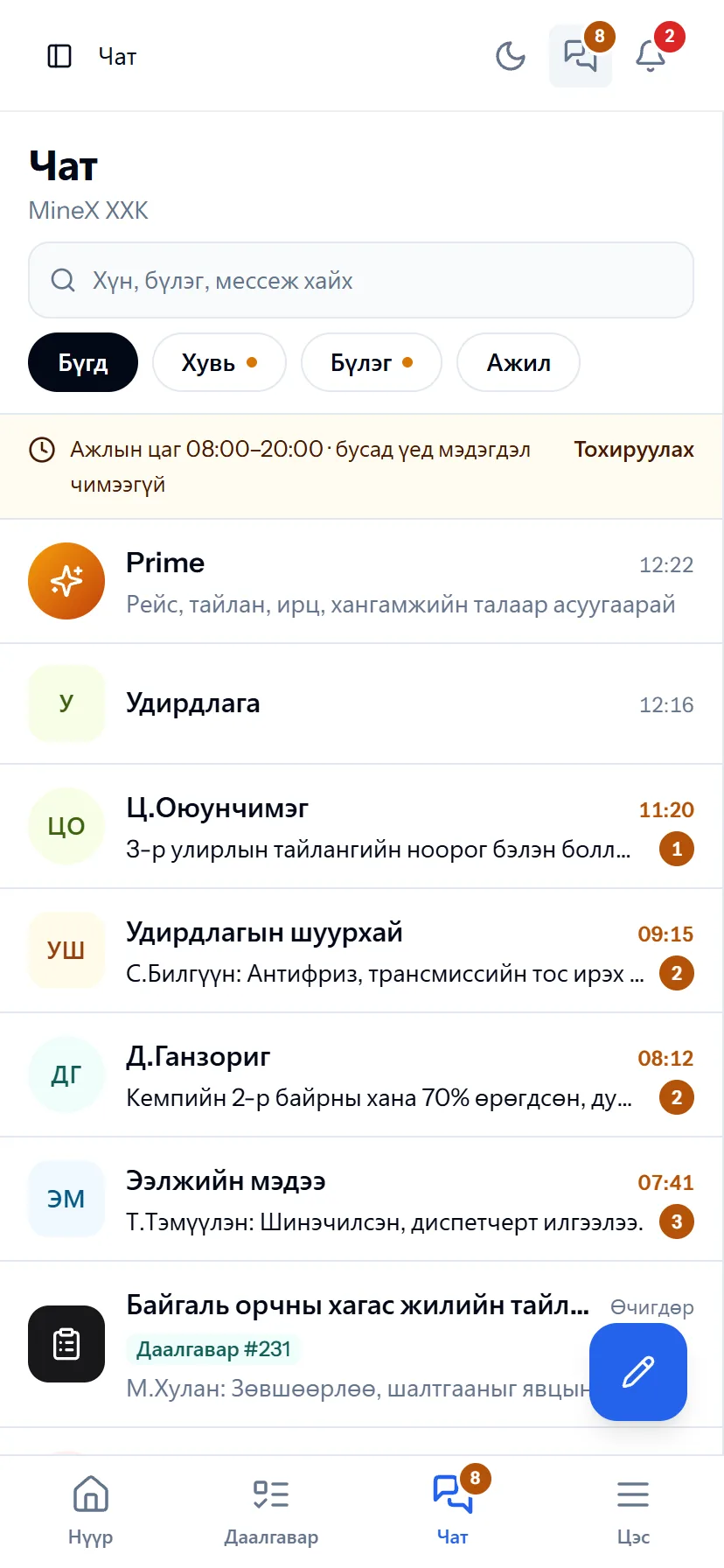
Chat
Chat
  • One account, one set of permissions

    Continue on the phone what you did on the computer; permissions and data are the same.

  • Bottom menu

    Home, Tasks, Chat, Menu — your work one tap away.

  • No app to install

    Open it from the browser and add it to the home screen. Updates are automatic.

Platform

Office, field, phone — from anywhere

One layout for every section

Dashboard, list, details, tabs, filters and export in the same places. Learn one section and you can use the rest straight away.

Several companies, one login

A person working in several companies switches with one login. Permissions and data are separate.

Access levels

Each role sees only the menus and actions it needs. The dispatcher does not see the ledger, the accountant does not edit trips.

Notifications, control, help

Telegram and Web Push notifications; change history (who, when, from what to what), access log; a “?” guide on every page in 5 languages.

Better in real life

Screenshots show only a small part of the system

A screenshot shows just one moment. On the real system, when the dispatcher changes a status you see the trip report change, the act appear and the ledger entry go in. The best way is 30 minutes together on your company’s data.

  • With your equipment, employees and project names
  • Questions answered on the spot and shown on screen
  • Online or at your office
  • No obligation, no charge

See it on the real system

Request a walkthrough Try the dispatcher

There is no open demo. Walkthroughs are done only at your request, for your company.

How to get started

4 steps, typically live in 4–5 weeks

A typical timeline for an average-sized company. Because we load the data, all we need from you is Excel files and a few hours of training. A small team can sign up itself and start today with the 30-day trial.

  1. 1Week 1

    Walkthrough and study

    A 30-minute walkthrough on your company’s data. Then we define the flows, roles and modules you need together.

  2. 2Weeks 2–3

    Data migration

    We enter the equipment, employees, warehouse, chart of accounts and opening balances ourselves. You just give us your Excel files.

  3. 3Week 4

    Training, trial

    Management, dispatchers, storekeepers and accountants at their own workplaces. We record one shift together with real data.

  4. 4From week 5

    Go-live, support

    Full go-live. Active support for the first 2 months, then ongoing service and updates.

Frequently asked questions

Do you have a question?

What does Prime AI do, and is our data safe?

Prime is the AI assistant that works inside PrimeX. Ask by typing, or press the microphone and ask by voice. It reads only the data the asking person is entitled to and counts answers from the system’s records, so the answer is a recorded number, not a guess. The company decides by permissions who gets Prime, and usage is logged. Chat messages are stored encrypted.

What is needed to implement it?

The step-by-step “Company start-up” helps you enter the chart of accounts, projects, equipment, employees and opening balances in order. Data can be imported from Excel, and we do the first load together with you.

Will a contractor see our data?

No. Every company has its own space. On a joint project only the data you have shared (roster, trips, acts) is visible to both sides.

Do the financial statements meet legal requirements?

Every transaction is recorded in the general ledger as a double entry, and the statement of financial position, detailed income statement and cash flow statement come out in the Ministry of Finance formats. Adjusting entries are made by authorised people, with a history.

Can it be used in factories, clinics and service organisations?

Yes. The “Work norms” module is for work measured by output — sewing, assembly, processing, repair workshops, clinics, services: a norm for every job, daily records with attendance, manager approval, productivity, statistics, pay sheets, payroll. In “Routine work” mode, with no project or schedule, the monthly quantity repeats automatically. Company cars, office administration, chat and attendance suit any organisation’s office. You can leave the mining modules out.

Can it be used from a phone?

Yes. Every page is adapted to a phone screen: bottom menu (Home, Tasks, Chat, Menu), dispatcher, my trips, GPS attendance, requests, hazard reporting, work permits, Prime and chat. No special devices to install, and Web Push notifications arrive even when the app is closed.

Do the HSE and environmental reports meet legal requirements?

HSE follows the ISO 45001 cycle, incidents are investigated and recorded under the rules of Government Resolution 269 of 2015, and the monthly report comes out in the inspection authority’s format. Rehabilitation is tracked by the MNS 5914–5918:2008 standards and the criteria of the Environment Minister’s A-138 methodology, with the GRI MM1 land balance, ISO 14001 9.1.2 compliance evaluation and environmental management plan progress.

Can foreign investors and foreign managers use it?

Yes. PrimeX has five languages: Mongolian, English, Chinese (中文), Russian and Korean. Every user picks their own language and a company default can be set — field staff see the same data in Mongolian, investors in 中文 or English. Beyond the interface, text that employees type by hand — tasks, notes, chat messages — is translated in place by AI with a “Translate” button; each text is translated only once and every other user sees the ready translation; the source text is not stored and the translation is encrypted. Reference names such as accounts and expense categories are in five languages too. Prime AI answers in the language it is asked in. Financial statements are converted from MNT to CNY and USD under IAS 21. The help guide is in five languages too.

Can I take only the modules I need? Can I try it?

Yes. You take only the modules you need: only HSE, only office administration and chat, manufacturing and payroll, and so on. Organisations in any sector can use it. The work board, chat, mail, correspondence, contracts, profiles, structure and attendance are the base and always open. Sign up yourself and try every module free for 30 days; when the trial ends the data is kept and switches to read-only. When you add a module later, data, users and permissions stay as they are.

We plan in Primavera P6 and MS Project. Do we have to switch?

No need to switch — they work together. Importing a P6 XER/XML or MS Project XML file brings in the WBS, activities, dependencies and calendars; after performance has come in automatically on PrimeX from trips, measurements and work records, you export back to P6 (XER/XML) or MS Project. The project dashboard, EVM, Monte Carlo and resource loading use P6 concepts.

We rent out equipment. Do I need PrimeX?

Yes, and it is free. The lessor portal needs no module: list your equipment, choose among offers, and approve or dispute from your phone the daily settlement calculated from the lessee’s waybills. When both sides approve the monthly act there is nothing to argue about. Individuals can register too.

What if one person works in several companies?

They switch companies with one login. Permissions, profiles and data are kept separately for each company.

Ready to run your company on one system?

Screenshots do not fully show how it works in practice. We give a 30-minute walkthrough on your company’s data and draw up an implementation plan together — office, factory, clinic, road or mine, the whole system or a single module. If you have foreign investors we show the English and Chinese interfaces too.