Work norms & productivity · Norms, daily records, productivity — also for routine work without a project
Compare every employee’s daily work with the norm and count it with attendance — at a mine, workshop, clinic or service company alike
Set a norm for every job and employees record what they did each day. Once approved, progress, productivity, pay and statistics follow automatically. “Routine work” mode needs no project or schedule: a monthly quantity with progress by working day — patients seen at a clinic, products made in a workshop.
- Feature group
- 3
- Action
- 13
- Flow step
- 6
How it works
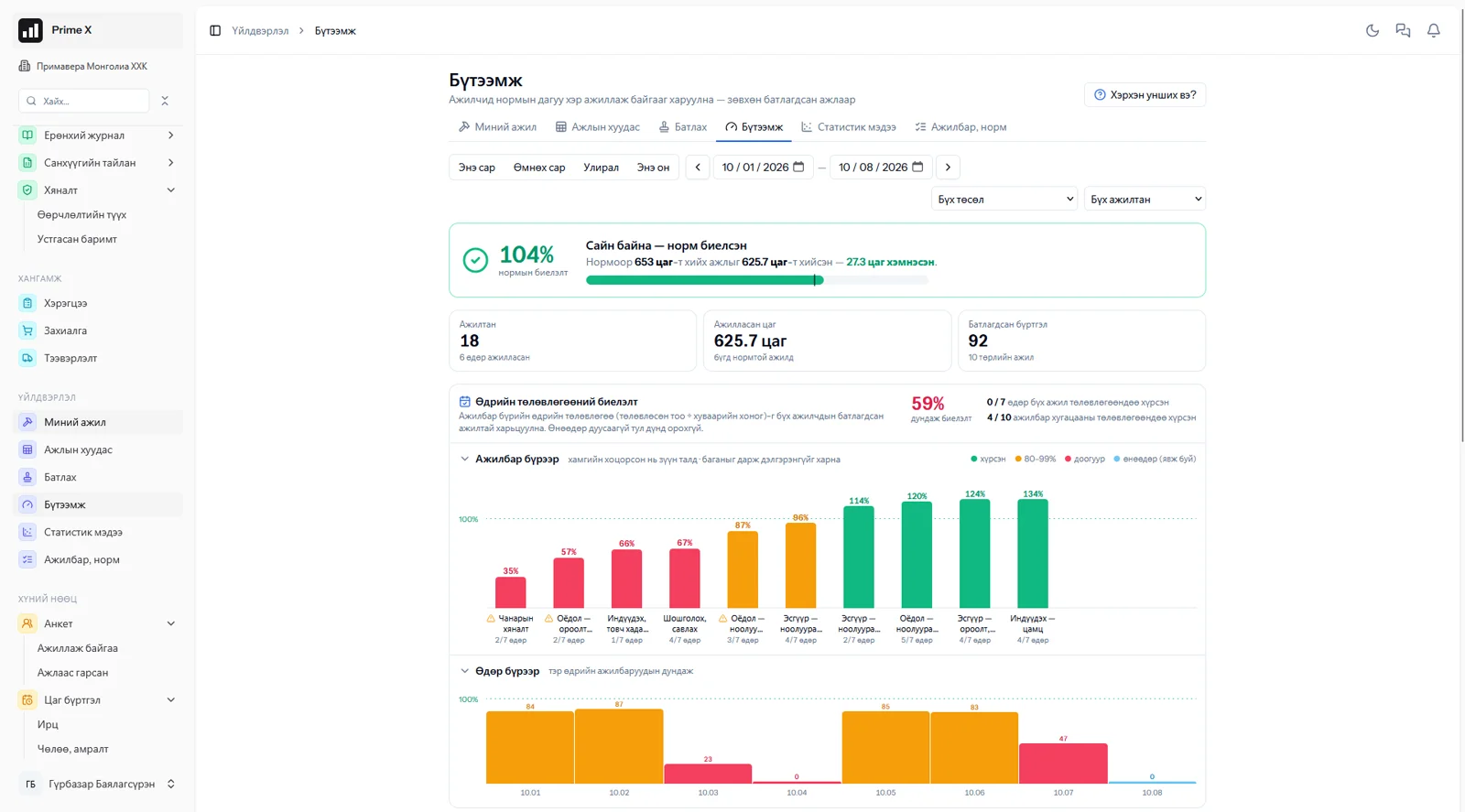
Each project defines activities (for example “cut 72 cashmere sweaters in 8 hours”) and norms. The employee, or the foreman for the team, enters the day’s work in one table — nothing can be recorded for someone without attendance. When the supervisor approves, the quantity goes into project progress, hours come from attendance and norm fulfilment is shown as a percentage. The productivity sheet colours each employee and activity above or below the norm. The statistics report compares attendance rate, lateness and norm fulfilment with target levels and places every employee on an attendance × performance chart. Pay goes to payroll, payroll to the general ledger.
Request a walkthroughThe picture is only a small part. On the real system Work norms & productivity section works at every tap and links straight to the other sections — let us show you.
Request a walkthroughScreens
Work norms & productivity — screens in the system
Demo company screens with sample data. Scroll down to see them one by one.
1 / 5
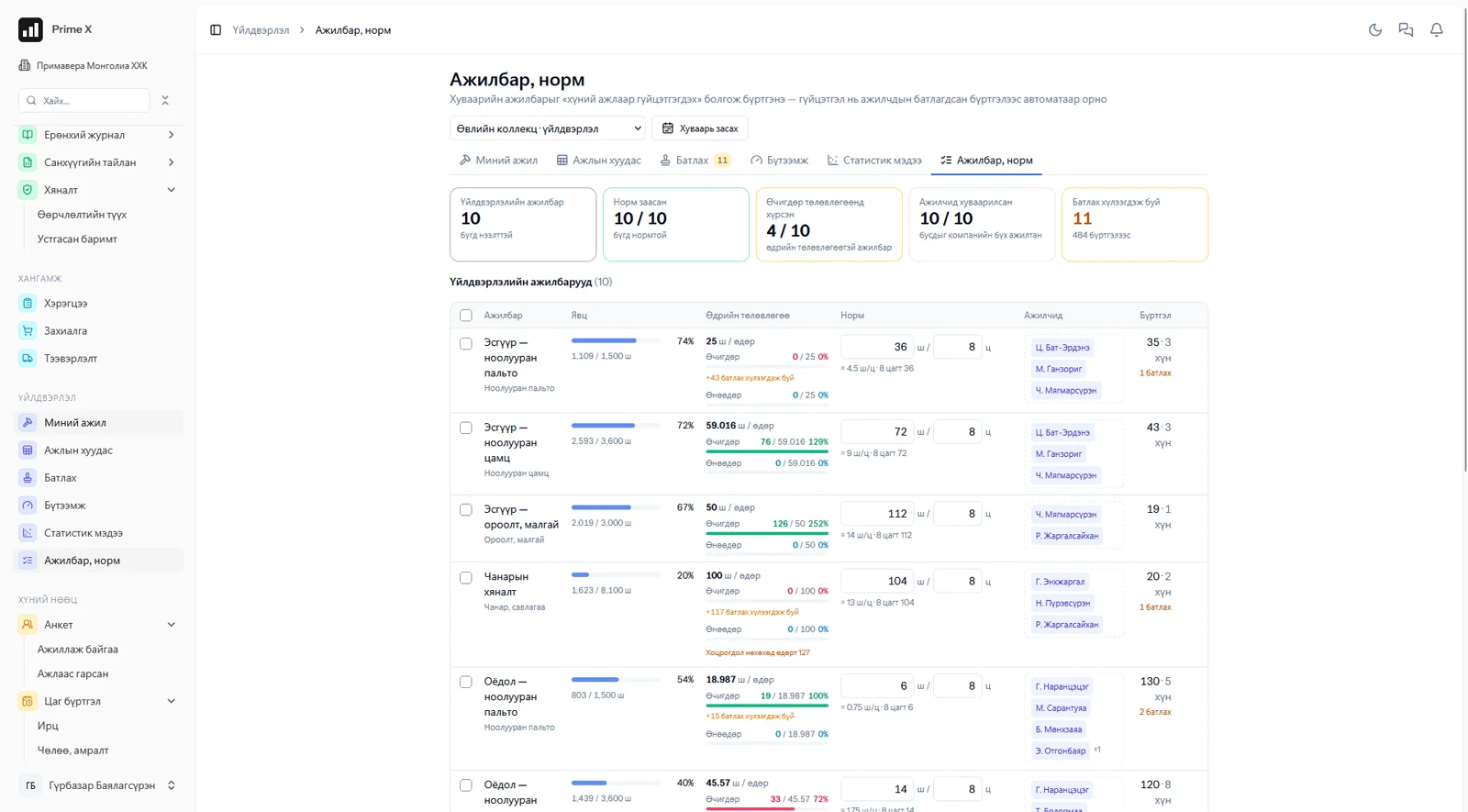
Cutting, sewing, quality control — a norm (pcs/hour) for every activity, daily plan, assigned workers, progress.
Spotlight: statistics report
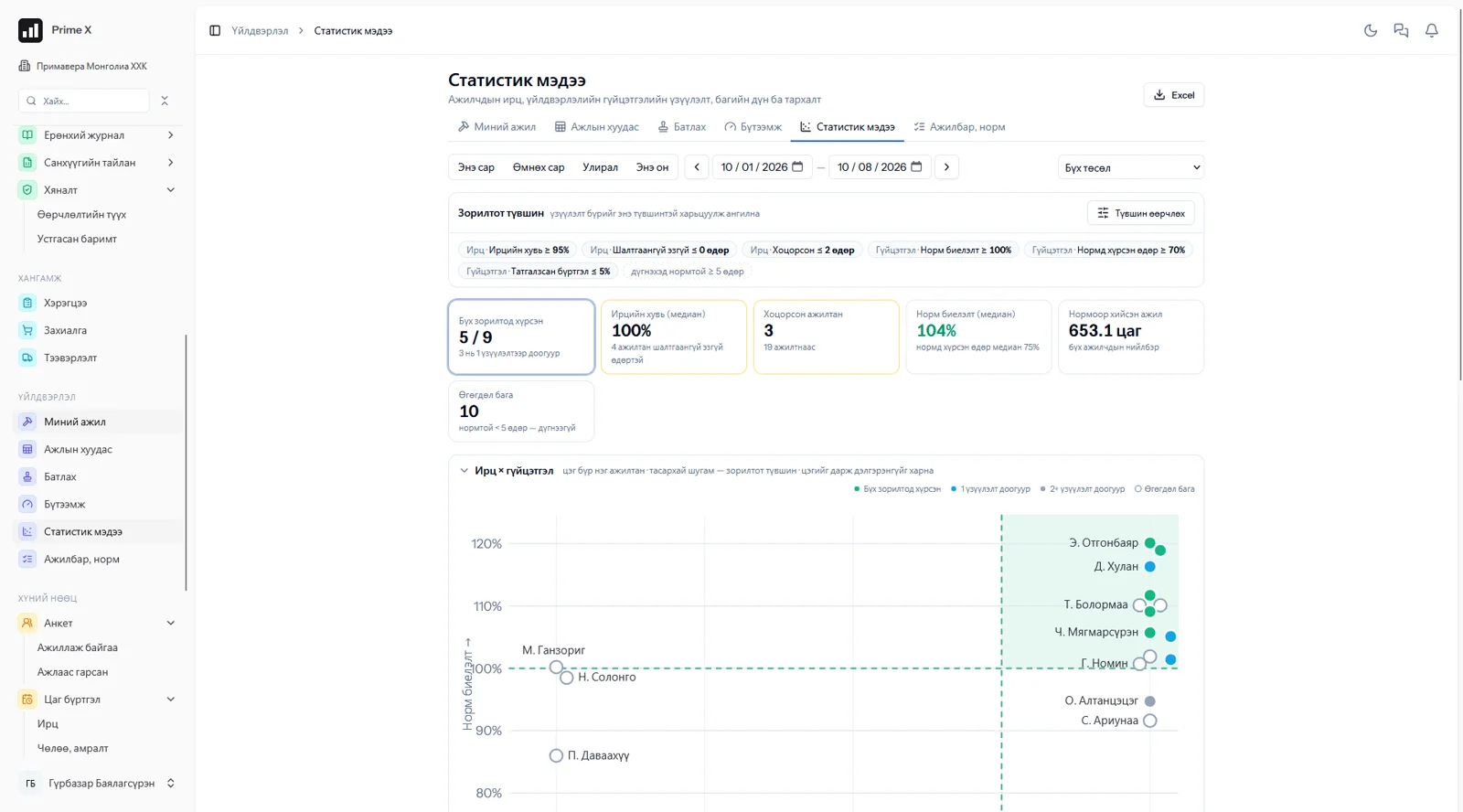
Attendance and performance on one chart — who met the targets is clear
Attendance rate, unexcused absences, lateness, norm fulfilment, share of days at norm — every indicator is compared with the company’s target levels. Each employee is one point on the attendance × performance chart: green when all targets are met, blue when one indicator is short. Management decides by numbers whom to talk to and whom to reward.
What is included
Features of the Work norms & productivity section
Record
- Activities, norms (quantity and hours)
- Routine work (no project) — repeats automatically every month
- My work — pick the day and record; step by step (checklist)
- Work sheet — the foreman for the team
- No attendance, no record
Approval, progress
- Approve grouped by employee, day and activity
- Adjust the approved quantity, reject
- Project progress automatically
- Daily plan fulfilment
Productivity, statistics
- Norm fulfilment by employee and activity
- Attendance × performance chart
- Target levels, Excel export
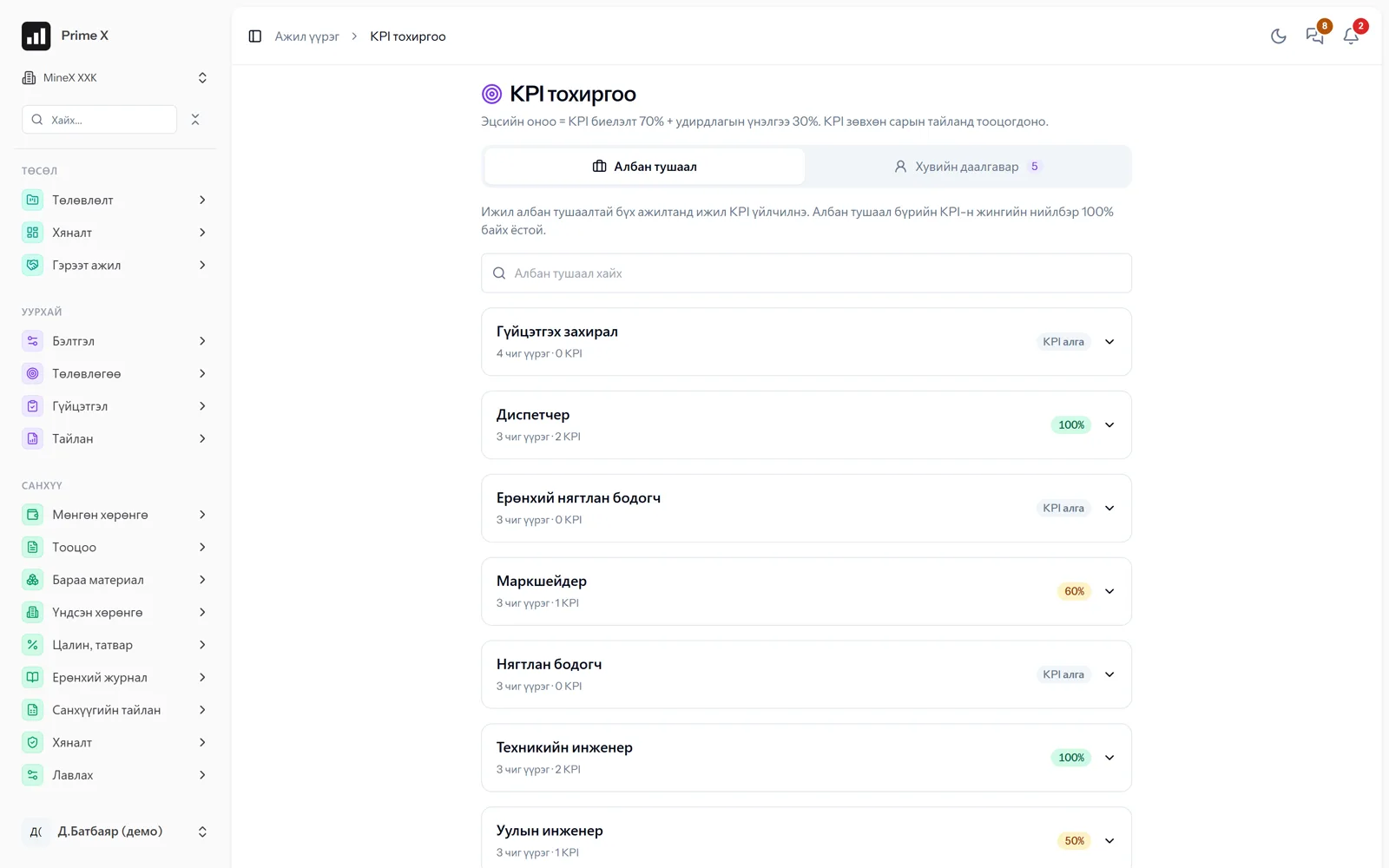
- KPI settings by position
Better in real life
Screenshots show only a small part of the system
A screenshot shows just one moment. On the real system, when the dispatcher changes a status you see the trip report change, the act appear and the ledger entry go in. The best way is 30 minutes together on your company’s data.
- With your equipment, employees and project names
- Questions answered on the spot and shown on screen
- Online or at your office
- No obligation, no charge
See it on the real system
Request a walkthrough Try the dispatcherThere is no open demo. Walkthroughs are done only at your request, for your company.
Ready to run your company on one system?
Screenshots do not fully show how it works in practice. We give a 30-minute walkthrough on your company’s data and draw up an implementation plan together — office, factory, clinic, road or mine, the whole system or a single module. If you have foreign investors we show the English and Chinese interfaces too.